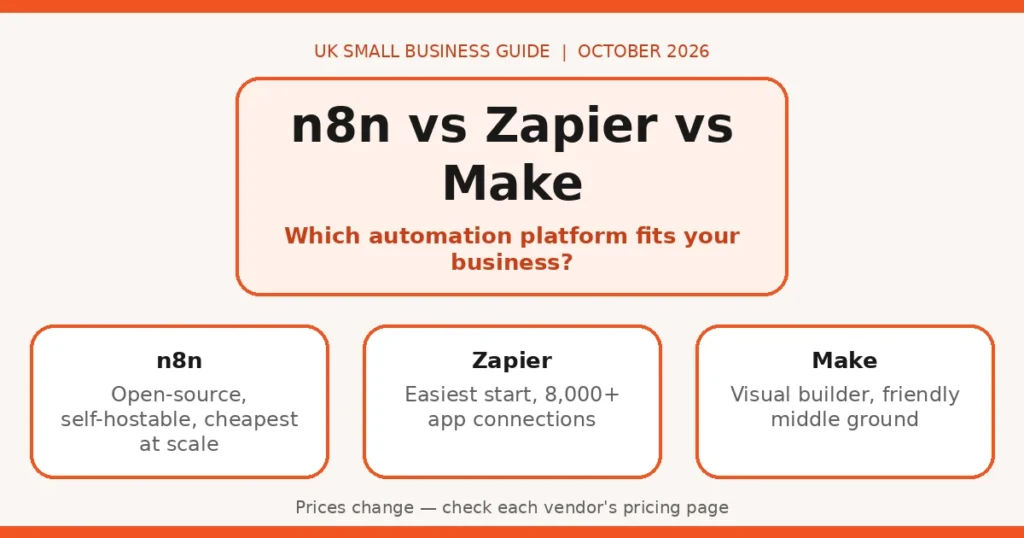
Direct answer: The best automation tool for a UK small business depends on your team: pick Zapier for the easiest start — it connects to the most apps and needs no technical skill. If you want the best value at volume and can handle some technical setup, pick n8n — its open-source model and self-hosting option make it the cheapest platform once your automation habit grows. If you want a visual builder that’s friendlier than n8n but cheaper than Zapier at scale, pick Make. For most UK small businesses that will use AI features heavily, n8n is now the strongest bet — but the right answer depends on your team’s skills, your task volume, and how much you care about where your data lives.
Why this comparison matters in 2026
A few years ago this was a one-horse race. Zapier was the default answer to “how do I automate this?”, and the other tools were curiosities. That picture has changed fast.
According to YipitData’s 2026 analysis of 1,300+ companies, n8n’s customer base is growing at 10x or more year over year in the mid-market — and nearly 80% of n8n’s new customers over the past year were already using Zapier. Among businesses running both tools, companies are 50% more likely to drop Zapier than n8n. Zapier remains the overall category leader in adoption, so it’s hardly finished — but the momentum has clearly shifted.
Spend data from Cledara tells the same story from a different angle: n8n is on roughly a 30x growth trajectory and is projected to cross 15% market share within 18 months, while Zapier’s new adoption is down 64% and Make’s growth is flat.
What changed? Two things: pricing pressure as businesses automated more tasks, and AI. n8n says that 75%+ of workflows built on its platform now include an LLM integration, and it has built proper AI-agent support — agents, RAG pipelines, model nodes — into the product rather than as an afterthought. The low-code market as a whole is projected to reach $44.5B by 2026, according to Gartner’s December 2022 forecast, so this is one of the most competitive software categories around — and you benefit from that competition.
The three platforms at a glance
| Platform | Best for | Ease of use | AI capability | Pricing signal | Self-hosting |
|---|---|---|---|---|---|
| n8n | Technical teams, high-volume workflows, AI agents | Steeper learning curve | Strongest — agents, RAG, LLM nodes built in | Hosted from around £18/mo; self-host free | Yes — full self-host |
| Zapier | Non-technical users, quick wins, biggest app library | Easiest by a clear margin | Good — AI steps and assistant, bolted onto classic automations | Paid from around £16/mo; cost climbs fast with tasks | No |
| Make | Visual thinkers, complex multi-step flows on a budget | Middle ground — visual but capable | Solid — AI modules and assistants for most use cases | Entry paid around £10/mo; generous operation limits | No (cloud only) |
Pricing signals are approximate, from October 2026 roundups — check the vendor’s pricing page before you decide.
n8n: the open-source powerhouse
n8n is the tool of the moment, and it’s easy to see why. It’s open-source, it can be self-hosted, and it has gone all-in on AI. n8n says it now has 230,000+ active users and 3,000+ enterprises running mission-critical workflows, with 400+ native integrations — smaller than Zapier’s library, but enough for most business needs, and you can connect to anything with an API.
Who it suits: businesses with someone technical on staff (or an agency like us on call), anyone running thousands of tasks a month, AI-heavy workflows, and anyone who wants their data on their own server.
Pros:
- Cheapest at scale. Self-hosting removes per-task fees entirely — your only cost is the server, typically a small fraction of a high-volume Zapier bill.
- Best AI-agent support. Proper agent nodes, memory, RAG, and direct LLM integrations — not just a “call ChatGPT” step.
- Full data control. Self-hosted means your customer data never passes through a vendor’s servers — a real selling point if you’re in finance, legal, or healthcare-adjacent work.
- Open source. No vendor lock-in on the code itself; the community is large and active.
Cons:
- Learning curve. The builder is visual, but concepts like webhooks, JSON, and error handling come up fast. Non-technical users often stall.
- You maintain it. Self-hosting means updates, backups, and uptime are your problem (or your IT person’s).
- Smaller app library. 400+ native integrations vs Zapier’s thousands — though the HTTP request node closes the gap for anyone comfortable with APIs.
Zapier: the easiest start in the business
Zapier invented the category and is still the biggest player. Its pitch is simplicity: describe what you want in plain English, and its AI helps build the workflow. With 8,000+ app integrations, it connects to things the others haven’t heard of yet.
Who it suits: non-technical owners, businesses automating for the first time, teams that need an obscure app supported, and anyone who wants something working today rather than next week.
Pros:
- Genuinely easy. Most people build a first working workflow in under an hour, with no technical background.
- Biggest app library. If the app exists, Zapier almost certainly connects to it — including niche UK accounting, CRM, and booking tools.
- Reliable and boring. Years of uptime, good monitoring, solid error handling. For client-facing processes, reliability matters more than cleverness.
Cons:
- Expensive at volume. This is the big one. Zapier charges per task, and the entry paid tiers include well under a thousand tasks a month. Once you’re running serious volume, the bill climbs steeply — our cost scenario below shows how quickly.
- No self-hosting. Your data flows through Zapier’s infrastructure. Their compliance is fine for most uses, but you have no alternative.
- AI feels added on. Zapier has AI steps and assistants, but the core model is still “trigger → actions”, not agents.
Make: the visual middle ground
Make (formerly Integromat) is the designer’s automation tool: a beautiful visual canvas where you draw workflows as scenarios, with branching, error routes, and data transformation built in. It has always offered more generous volume allowances than Zapier, and its pricing is the friendliest of the three hosted options.
Who it suits: teams that think visually, businesses with multi-step workflows involving branching logic, and anyone who wants Zapier-style ease with a better price-to-volume ratio.
Pros:
- Great value per operation. The entry paid tier — around £10/month at the time of writing — includes a generous operation allowance that would cost far more on Zapier.
- Beautiful, powerful builder. The visual scenario editor makes complex logic (routers, filters, error handlers) genuinely understandable.
- Good AI modules. Native connections to OpenAI, Anthropic and others, plus an AI assistant for building scenarios.
Cons:
- “Operations” take getting used to. Make counts operations, not tasks — one scenario run can consume many operations. It’s not hard, but it confuses people at first.
- Cloud only. No self-hosting option, so data control is the same story as Zapier.
- Flat growth, smaller community. Spend data from Cledara shows Make’s growth flat while n8n surges — fewer community templates and tutorials being produced.
AI-agent capabilities: who leads?
All three platforms now offer AI features, but they’re not the same thing.
n8n is the clear leader. It was early to treat AI as infrastructure: native nodes for agents with tools, conversation memory, vector-database/RAG support, and direct connections to OpenAI, Anthropic, Google and others. n8n says 75%+ of workflows on its platform now include an LLM step — that figure tells you the user base is genuinely building AI-powered automation, not just experimenting.
Zapier offers AI steps inside workflows and an assistant that builds automations from natural-language descriptions. Useful and well-integrated, but the mental model is “add an AI step to a classic automation” rather than “build an autonomous agent”.
Make sits between the two: solid AI modules, an assistant for building scenarios, and enough flexibility for moderately complex AI pipelines — but nothing like n8n’s agent-native approach.
If your plan is to automate processes that need judgement — qualifying leads, drafting personalised replies, triaging support tickets — n8n’s agent capabilities are a genuine advantage. We’ve written separately about using AI agents for lead follow-up and automating invoicing with AI — both are exactly the kind of judgement-heavy workflows where n8n shines.
A cost scenario: ~10,000 tasks a month
Let’s ground this in something concrete. Imagine a small UK business — say a 15-person estate agency — automating lead capture, follow-up emails, appointment reminders, invoicing, and review requests. That easily reaches around 10,000 automated tasks (or equivalent operations/executions) a month.
How the three platforms treat that volume differs enormously:
- Zapier: charges per task. The headline paid plans start from around £16/month at the time of writing, but the entry tiers include well under a thousand tasks. At 10,000 tasks you’re several tiers up — expect a bill in the low hundreds of pounds per month. Zapier is wonderful at small volumes and painful at large ones. Check the vendor’s pricing page for current tiers.
- Make: counts operations rather than tasks, and its tiers are generous. The entry paid tier — around £10/month at the time of writing — covers roughly this volume, and stepping up costs far less than the equivalent Zapier jump. Check the vendor’s pricing page to confirm current operation allowances.
- n8n: hosted plans start around £18/month at the time of writing, with execution allowances that mean 10,000 runs would need a higher tier — still typically less than Zapier’s equivalent. The real story is self-hosting: run n8n on your own server and there’s no per-task billing at all — just the server cost, a fraction of any hosted plan at this volume. Check the vendor’s pricing page for current execution limits.
The pattern is consistent: Zapier wins on day one, Make wins on year-one value for hosted, and n8n wins once volume or data-control requirements grow.
Honest limits
An honest comparison has to say where automation platforms — all of them — let you down.
When not to automate. If a process changes every month, involves genuine judgement calls you can’t write rules for, or handles sensitive personal data with no clear lawful basis, automation adds risk faster than it saves time. Automating a bad process just makes the mess arrive faster.
Migration pain is real. No platform imports workflows from another. Switching means rebuilding, step by step, and a 50-step workflow can take days to recreate and re-test. This is the strongest argument for getting the choice right first time — and for piloting with one or two workflows before committing.
The learning curve bills you in hours. n8n self-hosted saves money but costs time: updates, SSL certificates, backups, and the occasional 2am debugging session. Make’s operation counting confuses everyone for the first month. Zapier’s simplicity fades the moment you need branching logic. Budget learning time, not just subscription money.
App coverage gaps still bite. Zapier covers the most apps. If your business runs on a niche UK tool — a specific property portal, a regional accounting package — check integration availability on your chosen platform before you pay. The HTTP/API fallback exists on all three, but it assumes technical skill.
Your decision checklist
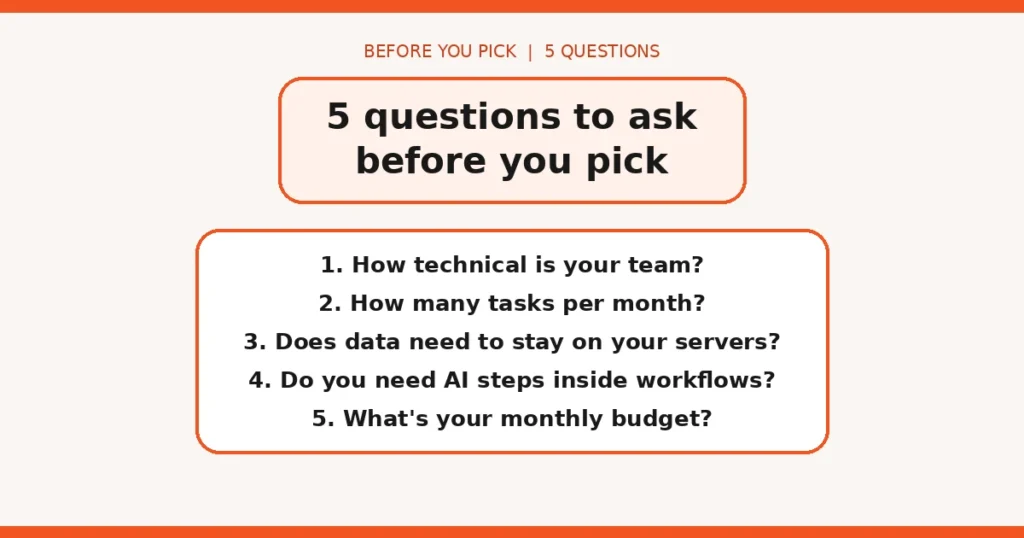
Walk through these five questions with your team before spending anything:
- How technical is your team? No technical staff → Zapier or Make. Someone comfortable with APIs → n8n opens up.
- How many tasks per month? Under a couple of thousand → Zapier’s ease may justify the cost. Over 5,000 → look hard at Make or n8n.
- Does data need to stay on your servers? Regulated industry or cautious clients → n8n self-hosted is the only option of the three.
- Do you need AI steps inside workflows? Light AI (drafting, summarising) → any of the three. Real agents with memory and tools → n8n.
- What’s your monthly budget? Tight and hosted → Make. Tight and technical → n8n self-hosted. Flexible and values simplicity → Zapier.
For a concrete sense of what automation looks like in a real UK business, see our walkthrough of a real AI workflow example — it shows the before-and-after of a manual process becoming automatic.
FAQs
Is n8n really cheaper than Zapier for a small business?
Often, yes — especially if you’re comfortable with a little technical setup. n8n’s self-hosted option has no per-task fees beyond your server costs, while Zapier charges per task and costs climb quickly with volume. The trade-off is setup and maintenance time on your side.
Can I run n8n without knowing how to code?
For straightforward workflows, yes — n8n has a visual builder like its rivals. But you’ll get much more from it (and you’ll survive the setup) if someone on your team is comfortable with basic technical concepts like APIs and JSON. If nobody fits that description, Zapier or Make is the safer start.
Which platform is best for AI agents in 2026?
n8n has the strongest AI-native offering, with 75%+ of its workflows now including an LLM step and first-class support for agents, RAG and model nodes. Make and Zapier both offer AI steps and assistants, but they bolt AI onto a traditional automation model rather than centring on it.
Do I need to self-host n8n to keep my customer data private?
Self-hosting gives you the strongest control: your data never leaves your server. But n8n’s hosted cloud plans and Make/Zapier are all fine for most small businesses, provided you check their data-processing terms. If you handle special-category data or NHS work, self-hosting is worth serious consideration.
Can I switch platforms later if I pick the wrong one?
You can, but expect rebuilding rather than importing — workflows don’t transfer between platforms. Complex workflows with dozens of steps can take days to rebuild. It’s worth starting with a small pilot workflow and testing properly before committing your whole business.
Which is easiest for a non-technical business owner?
Zapier, by a clear margin. Its 8,000+ app library and plain-English setup mean most people can build their first working workflow in under an hour. Make sits in the middle, and n8n rewards technical users with power and flexibility at the cost of a steeper learning curve.