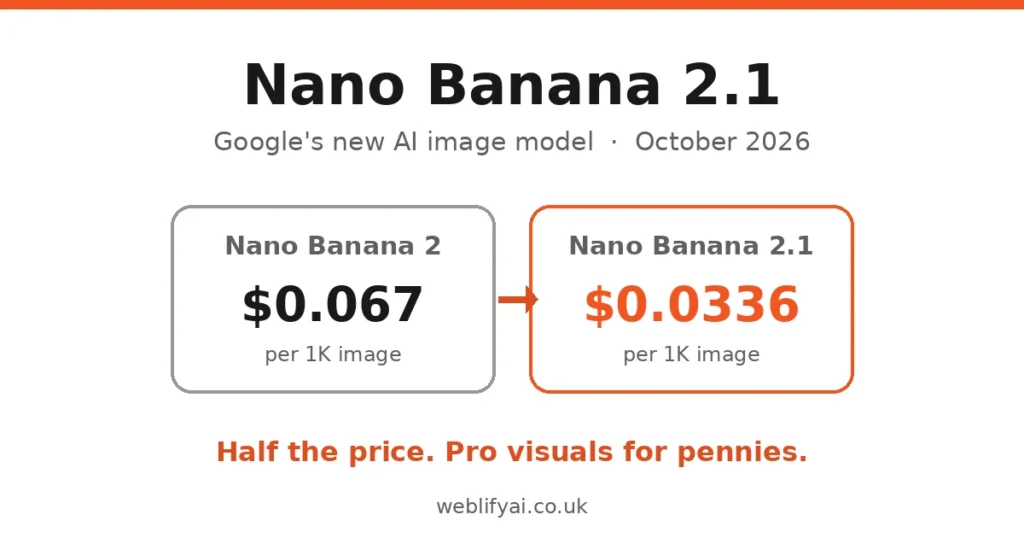
Direct answer: Google launched Nano Banana 2.1 on October 6, 2026, and the headline isn’t just better images — it’s the price. API image generation now starts at $0.0336 per image, roughly half what Nano Banana 2 charged. For a UK small business, that turns AI product photography, ad creatives and listing images from a “nice experiment” into something cheaper than a stock photo subscription. Here’s what the model does, what it costs, and the five ways to use it this week.
Search interest is surging — “nano banana 2.1” is up 2,550% in the US over the past week and “nano banana” is a Breakout query in the UK. Most coverage is aimed at developers. This is the practical version: what it means if you sell things.
What Is Nano Banana 2.1, Exactly?
Nano Banana 2.1 is Google’s newest image generation and editing model — the engine behind AI image creation in the Gemini app and several Google products. You describe what you want in plain English (“a ceramic mug on a oak table, morning light, product photo style”) and it generates or edits the image.
The “Nano Banana” name started as Google’s internal codename and stuck. Version 2.1 is built on Gemini 3.6 Flash according to Google’s model card, and it’s a full step up from Nano Banana 2: better visual quality, sharper mask-based editing (change one part of an image while the rest stays put), stronger subject consistency across multiple edits, and better text rendering for posters and labels.
But the real story is the price cut. Google is positioning 2.1 around lowering the cost of AI — and at three cents an image, the economics of visual content just changed for small businesses.
The Price Drop That Changes the Maths
Here’s the before and after, per Google’s API pricing:
| Nano Banana 2 | Nano Banana 2.1 | |
|---|---|---|
| 1K image | $0.067 | $0.0336 |
| 2K image | $0.101 | $0.0504 |
| 4K image | $0.151 | ~$0.0756 |
| Batch discount | Standard | Roughly another 50% off |
Put that in small-business terms: 100 product shots cost about $3.36. A single stock photo licence often costs more than that. A half-day product photography shoot costs hundreds of pounds.
Two honest caveats. First, those are API prices for developers — if you’re using the Gemini app or AI Studio as a consumer, you’re inside Google’s existing product pricing, not paying per image directly. Second, Google’s own docs note 2.1 drops some developer features the older version had (function calling, structured outputs, caching), so if you’re building software on it, check the migration notes. For everyone else, the takeaway is simple: high-volume image work just got radically cheaper.
What It Can Actually Do
Beyond the price, the capability upgrades matter for business use:
- Up to 14 reference images per prompt. Upload your actual product from multiple angles and the model keeps it consistent — this is the feature that makes it usable for real catalogues instead of generic mockups.
- Subject consistency across edits. It tracks up to four characters and ten objects across conversation turns, so you can iterate (“now on a white background”, “now in packaging”) without the product morphing between versions.
- 1K, 2K and 4K output, including very wide and vertical formats — usable for everything from thumbnails to hero banners.
- Search grounding. It can check Google Search and Image Search before drawing real-world subjects, which helps with accuracy on recognisable objects and places.
- Three thinking levels letting developers trade speed against precision.
- Better text rendering — posters, labels, infographics and ad creatives with readable words, historically AI image models’ weakest point.
Google’s internal benchmarks put it ahead of its predecessor across the board, including a notably better infographic accuracy score. Independent verification wasn’t available at launch, so treat vendor benchmarks as directional — but the direction is clearly up.
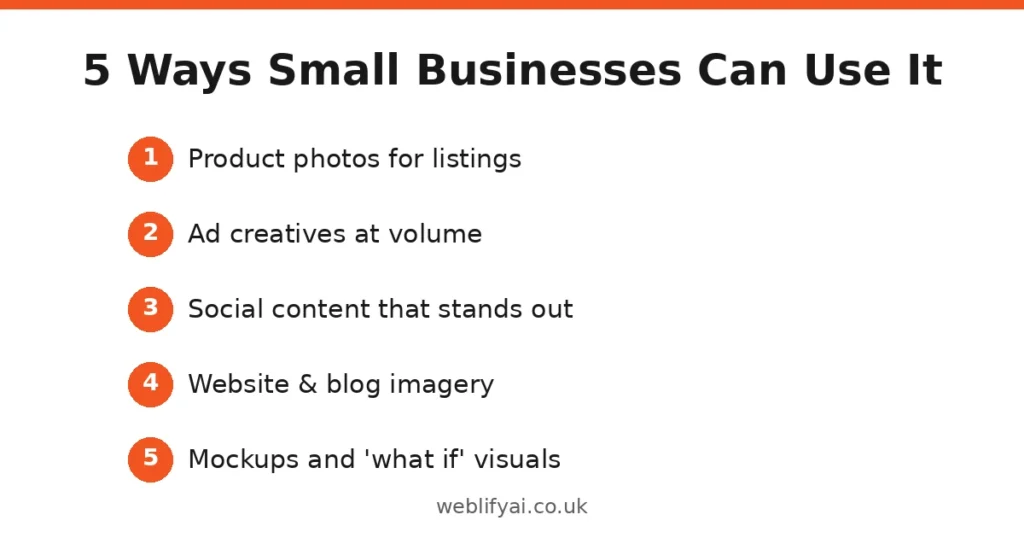
5 Ways a UK Small Business Can Use It Right Now
1. Product photos for listings
The killer use case. Photograph each product once on a plain background, then generate lifestyle shots, seasonal variants and different backdrops with 2.1. An Etsy seller can show the same candle in a Christmas scene, a bathroom flat-lay and a gift-box mockup — from one phone photo. If you’re already thinking about how machines read your listings, our agentic commerce guide pairs well with this: great images plus clean product data is the full package.
2. Ad creatives at volume
Meta and Google ads reward fresh creative — ad fatigue is real and expensive. At three cents an image, you can generate twenty variants of a creative, test them all, and keep the winners. The old constraint was designer time; the new constraint is your willingness to experiment.
3. Social content that doesn’t look templated
Small businesses either post phone photos or obvious Canva templates. 2.1 sits in the gap: branded-looking visuals, seasonal posts, announcement graphics — produced in minutes, consistent with your products because you’re feeding it reference images.
4. Website and blog imagery
Hero images, category banners, blog illustrations. The improved text rendering means infographics and annotated diagrams are finally viable — genuinely useful for service businesses explaining processes.
5. Mockups and “what if” visuals
Estate agents: furnished versions of empty rooms. Trades: “here’s what your kitchen could look like” visualisations. Print shops: design mockups on real products. Anything where showing beats describing.
What It Can’t Do (the Honest Limitations)
Google publishes these itself, which is refreshing:
- Small text renders poorly. Fine for a headline on a poster; unreliable for paragraphs or small labels. Always zoom in and read every word before publishing.
- Characters aren’t always consistent between your input photo and the output — check that the product still looks like your product.
- It confuses spatial positions sometimes — “the logo on the left” might land on the right.
- 3D reasoning and world knowledge are limited, and its knowledge cutoff is March 2026.
- Nano Banana Pro still wins on quality for colour accuracy and proportions, per third-party testing. 2.1 is the efficient choice, not the premium one.
The rule: AI generates, humans verify. Every image that represents your business gets a human look before it goes live. At these prices, the verification step is the expensive part — budget your time accordingly.
Nano Banana 2.1 vs Hiring a Photographer or Designer
| Nano Banana 2.1 | Human photographer/designer | |
|---|---|---|
| Cost per image | ~$0.03 | £10–£100+ |
| Turnaround | Seconds | Days to weeks |
| Consistency | Good, needs checking | Excellent |
| Creative judgement | None — you direct | This is what you pay for |
| Best for | Volume: listings, variants, tests | Hero shots, brand-defining work |
This isn’t a replacement story — it’s a reallocation story. Stop paying photographers for the 200 routine catalogue shots; keep paying them for the 10 images that define your brand. The businesses that win will be the ones that split the work correctly, not the ones that pick a side.
How to Try It Today
The easiest route is the Gemini app — image generation there now runs on 2.1. For more control, Google AI Studio gives you the knobs (reference images, thinking levels, resolutions) without writing code. Developers can hit the Gemini API directly. It’s also appearing in Search’s AI Mode (look for the banana icon), Google Flow, Stitch and Google Ads.
Start with one product and one use case. Generate ten variants, pick the best two, and compare them against your current imagery on actual click-through. Let the numbers decide how far you take it.
FAQs
What is Nano Banana 2.1?
Google’s latest AI image generation and editing model, launched October 6, 2026. It creates and edits images from text prompts, and its headline change is price: API image costs roughly halved versus Nano Banana 2, starting at $0.0336 per 1K image.
How much does Nano Banana 2.1 cost?
Via Google’s API, a standard 1K image costs $0.0336 — about half the $0.067 Nano Banana 2 charged. 2K runs $0.0504 and 4K around $0.0756, with batch processing cutting those rates roughly in half again. In the Gemini app and Search AI Mode, consumer access is bundled with Google’s existing products.
Is Nano Banana 2.1 better than Nano Banana Pro?
It’s cheaper, not strictly better. Google’s own benchmarks show 2.1 beating Pro on some consistency and infographic scores, but third-party coverage notes Pro still produces noticeably better images on colour accuracy and proportions. Think of 2.1 as the efficient workhorse and Pro as the quality tier.
Can Nano Banana 2.1 replace my product photographer?
For catalogue shots, listing images and ad variations — largely yes. For hero brand imagery where perfect detail matters, keep the photographer and use 2.1 for the volume work around them. The honest answer depends on how much your customers zoom in.
Where can I use Nano Banana 2.1?
It’s rolling out across the Gemini app, Google Search’s AI Mode, Google AI Studio, Google Flow, Stitch, Google Ads and the Gemini API — so both casual users and developers get access.
What are Nano Banana 2.1’s limitations?
Google lists several: small text renders poorly, characters aren’t always consistent between input and output, it sometimes confuses spatial positions, and 3D reasoning is limited. Its knowledge cutoff is March 2026. Always inspect outputs before publishing.
Is Nano Banana 2 being shut down?
Google has marked Nano Banana 2 as deprecated, with October 29, 2026 reported as the earliest shutdown date. If you build on the older model, plan your migration to 2.1 now.