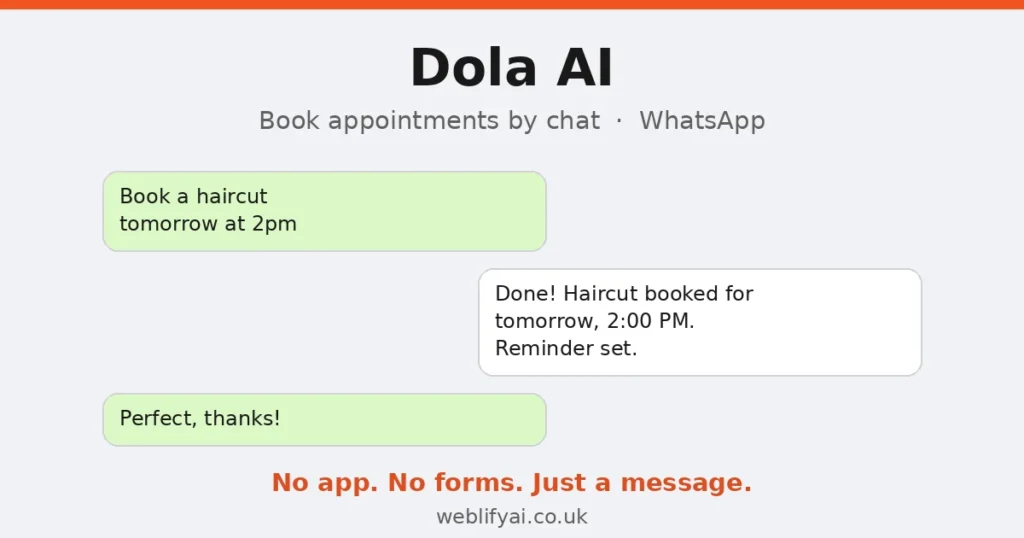
Direct answer: Dola AI is an AI calendar assistant that lives inside WhatsApp — you message it like a person (“book a haircut tomorrow at 2pm”) and it creates the event, syncs it with your Google or Apple calendar, and sends reminders. It’s free while in beta, and UK search interest is breaking out right now. For appointment-based businesses — salons, clinics, trades — it’s the closest thing to an AI receptionist that meets customers where they already are: their chat app. Here’s how it works, what it costs, and the honest limitations.
What Is Dola AI, Exactly?
Dola AI is a scheduling assistant with no app to install and no dashboard to learn. You add it as a contact in WhatsApp, Telegram, iMessage or Line, then talk to it in plain language:
- “Lunch with Sarah next Tuesday at 1pm”
- Voice note: “Remind me to call the supplier on Friday morning”
- Photo of a flyer: “Add this event to my calendar”
It understands text, voice and image inputs, converts them into calendar events, edits or cancels them on request, sends smart reminders, and keeps everything synced with your real calendar. It can even coordinate group scheduling in chat groups.
The idea isn’t new — but the execution location is. Your customers don’t need to download anything, create an account, or learn a booking portal. They message, and it’s booked. In the UK, where WhatsApp is the default messaging app, that friction difference matters enormously.
How It Works: Three Steps
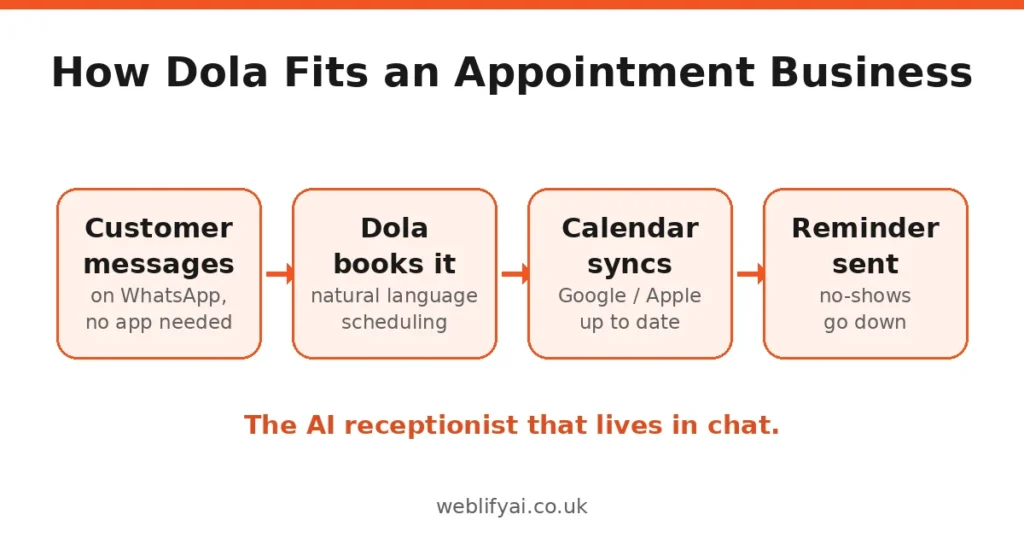
1. Add Dola as a contact
In WhatsApp (or Telegram, iMessage, Line), you add Dola like any other contact. No app install, no signup flow for the customer side.
2. Chat in natural language
Message it the way you’d message a human assistant. “Move my 3pm to Thursday”, “what’s on tomorrow?”, “remind the team about the delivery at 9”. It parses the intent — including complex multi-event requests — and acts.
3. Everything syncs
Dola connects to Google Calendar, Apple Calendar or CalDAV. Events created by chat appear in your normal calendar apps; changes sync across your devices. Reminders arrive through the same chat thread.
That’s the whole loop. The cleverness is entirely in removing steps: no opening a calendar app, no tapping through date pickers, no “let me check and get back to you”.
What It Costs
Here’s the honest pricing picture as of October 2026:
- Free plan (beta): $0 — full access to core scheduling and reminders while Dola is in beta, syncing with Google, Apple and CalDAV calendars.
- Pro tier: reported around $10/month (or ~$100/year) with advanced scheduling features, unlimited reminders and priority support — though paid details aren’t fully public yet.
Two things to note. First, beta pricing is promotional by nature — assume it changes. Second, “free during beta” is a customer-acquisition strategy, not a business model; build your workflow on the assumption you’ll eventually pay something. At the reported Pro price, it’s still an order of magnitude cheaper than missed appointments.
Dola AI vs a Human Receptionist vs Booking Software
| Dola AI | Human receptionist | Booking software (e.g. Fresha, Booksy) | |
|---|---|---|---|
| Cost | Free in beta (~$10/mo reported Pro) | £1,500+/mo | Free–£50/mo |
| Availability | 24/7, instant | Working hours | 24/7, instant |
| Channel | WhatsApp/chat your customers already use | Phone | App or web link |
| Takes deposits | No | Yes | Yes |
| Enforces cancellation policy | No | Yes | Yes |
| Handles complex requests | Good at scheduling, nothing else | Excellent | Rigid forms |
| Setup effort | Minutes | Hiring + training | Hours of configuration |
The table tells the real story: Dola isn’t competing with booking software — it’s competing with the phone call and the “I’ll check my diary” message. For businesses losing bookings to friction rather than to competitors, that’s the right fight.
Which UK Businesses Should Try It
Salons and barbershops
Your clients message you on WhatsApp already. Dola turns “are you free Thursday?” into a booked slot without you stopping mid-haircut to check your diary. Pair it with a simple deposits policy communicated in your booking confirmation.
Clinics and practices
Appointment reminders are Dola’s quiet superpower — no-shows drop when reminders arrive in the chat thread patients actually read. (Note the data caveat below before putting patient details through it.)
Tradespeople
Plumbers, electricians, builders: quoting and scheduling over WhatsApp is already how half the UK trade works. Dola organises the chaos — “remind me to chase the Johnson quote Friday” becomes a real reminder instead of a forgotten message.
Freelancers and consultants
Discovery calls, project milestones, follow-ups. If your calendar currently lives partly in your head and partly in chat threads, Dola gives it one home.
The Honest Limitations
It’s a scheduling assistant, not booking software. No deposits, no cancellation policies, no team rotas, no service menus. If you need those, you need proper booking software — Dola handles the conversation layer, not the business logic.
Your data goes through a third party. Dola needs your calendar and your messages to work. It’s beta software from a small team. For a salon that’s fine; for a clinic handling patient data, read the privacy policy properly and think about what’s shared. This is the same judgement call as any cloud tool — just make it deliberately.
It’s beta. Features change, pricing will change, and small AI startups sometimes pivot or shut down. Don’t build your entire booking operation on it with no fallback. Use it as the friendly front door, with your calendar as the system of record — which, to be fair, is how it’s designed.
It won’t fix a bad booking policy. AI reminders reduce no-shows; they don’t eliminate them. Deposits and clear cancellation terms still do the heavy lifting.
How to Set It Up (15 Minutes)
- Go to heydola.com and follow the WhatsApp setup — you’ll add Dola as a contact.
- Connect your Google or Apple calendar when prompted.
- Send a test message: “Book a test appointment tomorrow at 10am” — then check it appears in your calendar.
- Set up one real workflow: appointment reminders, or a “book by message” option you tell customers about.
If you want the fuller picture — AI that answers calls, handles FAQs and books across channels — our AI agents for small business UK guide covers proper AI receptionist setups. Dola is the lightweight end of that spectrum: start here, upgrade when the volume justifies it.
FAQs
What is Dola AI?
An AI calendar assistant that lives inside messaging apps like WhatsApp, Telegram, iMessage and Line. You chat with it in natural language — text, voice or images — and it creates events, edits them, sets reminders and syncs everything with your Google or Apple calendar.
Is Dola AI free?
It’s currently free during its beta phase, with full access to core scheduling features. A Pro tier has been reported around $10/month with advanced features, but paid pricing isn’t fully public yet — check heydola.com for the latest before committing.
Does Dola AI work with WhatsApp?
Yes — WhatsApp is one of its main platforms, alongside Telegram, iMessage and Line. You add Dola as a contact and schedule by chatting, no separate app install needed.
Which calendars does Dola AI sync with?
Google Calendar, Apple Calendar and CalDAV. Events you create by chat appear in your regular calendar apps, and changes sync across devices.
Can Dola AI book appointments for my business?
It handles the scheduling mechanics well — creating bookings from natural-language messages, sending reminders and coordinating group scheduling. But it’s a personal assistant, not business booking software: it won’t take deposits, enforce cancellation policies or manage a team rota.
Is Dola AI safe for business data?
It needs access to your calendar and chat messages to function, which is a real data consideration. It’s in beta from a small team, so businesses handling sensitive client data should review its privacy policy carefully before rolling it out.
What’s the catch with Dola AI?
Three: it’s beta software from a small team (features and pricing can change), it’s a scheduling assistant rather than complete booking software (no payments, no policies), and you’re trusting a third party with calendar and message data. For many small businesses those trade-offs are fine — just go in with eyes open.