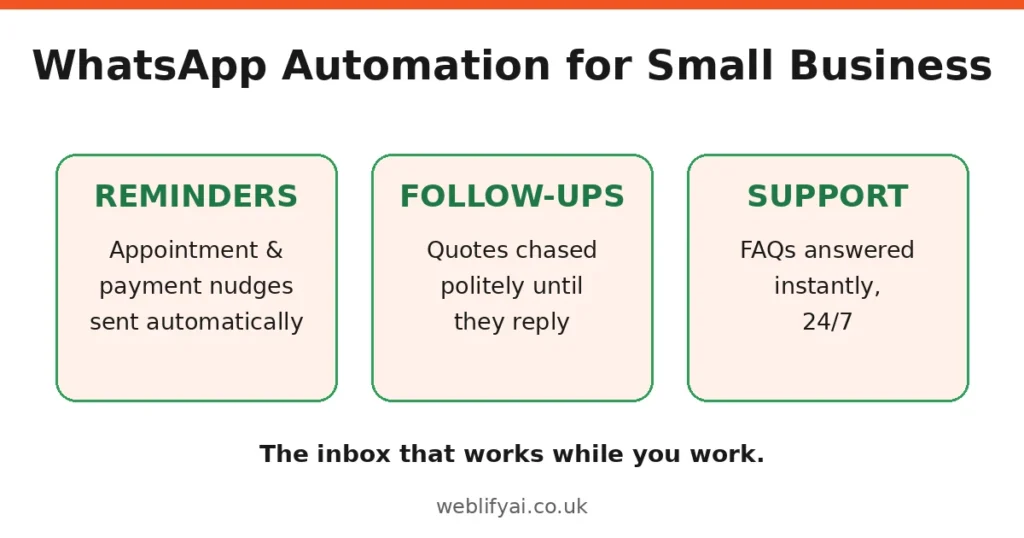
Missed messages and slow replies quietly cost small businesses new enquiries every week. A customer messages on WhatsApp at 7pm, gets no answer, and by morning they’ve booked with whoever replied first. WhatsApp automation for small business UK owners fixes exactly that: every message gets a fast, useful reply, even when you’re busy, closed, or on holiday.
Done well, it answers routine questions instantly, qualifies new enquiries, books appointments, and sends order updates, without you or your team being glued to a phone. In this guide, we explain exactly what WhatsApp automation actually is, what small businesses realistically use it for, what it costs in practice, and how to get started while staying compliant with UK rules.
What is WhatsApp automation?
WhatsApp automation means using software to handle some or all of your WhatsApp conversations automatically. Simple examples include an instant greeting when someone messages you for the first time, automatic answers to frequently asked questions, and follow-up messages after a purchase or appointment. The customer simply messages your business number as normal; the software does the routine work in the background.
Before going further, there is an important distinction every UK small business should understand, because it shapes everything else: the difference between the free WhatsApp Business app and the official WhatsApp Business API, also called the WhatsApp Business Platform.
The free WhatsApp Business app, which you may already use, includes basic automation such as greeting messages, quick replies, and away messages. It is genuinely useful for very small operations, but it still runs from a phone, only works on linked devices, and cannot connect to your booking system, CRM, or website. Proper automation uses the official WhatsApp Business API: Meta’s official route for connecting WhatsApp to chatbots, booking systems, CRMs, and e-commerce platforms. Access goes through approved providers, and messages follow WhatsApp’s business rules. One clear piece of advice: stick to the official API route. Unofficial tools that plug into WhatsApp without approval can get your number banned, which is the last thing a small business needs.
What small businesses actually automate on WhatsApp
The best automation candidates are conversations that keep repeating, can’t wait, and follow a predictable pattern. Here’s what that looks like for UK small businesses, starting with the simplest win.
1. Instant replies to common questions
Opening hours, prices, delivery areas, parking, whether you’ve got something in stock: these questions land all day, every day, and customers expect fast answers. An automated reply handles them in seconds, day or night, and only hands over to a person when the question is unusual. For many businesses, this one workflow wins back hours every week.
2. Lead qualification
When someone messages from a Google ad, your website, or a leaflet, automation can ask a few smart questions before you get involved: what they’re after, where they’re based, rough budget or timeline. Serious enquiries land with you immediately, answers attached, so you call back informed instead of starting from scratch. Weaker ones get filtered out politely. Nobody on your team wastes a call.
3. Appointment booking and reminders
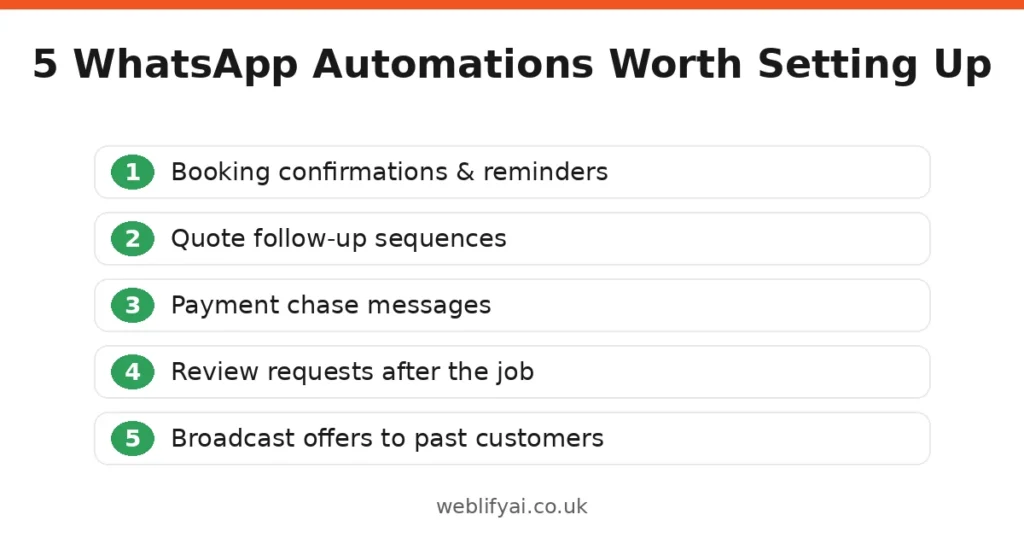
Salons, clinics, tradespeople, tutors, consultants: missed appointments and phone tag cost real money. WhatsApp automation checks availability, offers time slots, confirms the booking, and sends a reminder the day before. Customers reschedule by replying to a message instead of ringing during your working hours. Fewer no-shows, fewer gaps in the diary. It’s one of the first workflows we’d automate. The diary is revenue.
4. Order updates and follow-ups
E-commerce and takeaway businesses use automation for order confirmations, dispatch notifications, and delivery updates. After the job’s done, the same system can ask for a review or suggest a reorder. These messages get opened because customers genuinely want them — nobody ignores a ‘your order is on its way’ text.
WhatsApp Business App vs API: which one do you need?
Quick way to decide. Stick with the free Business app if you’re a sole trader or a very small team, message volumes are low, and one or two people can comfortably handle replies on their phones; the app’s greeting messages, quick replies, and away messages may be all you need for now. Move to the API when messaging eats a noticeable part of your week, several people need to reply from one number, or you want WhatsApp connected to your booking system, CRM, or website. The API also unlocks proper chatbots, template messages, and reliable delivery at higher volumes. Plenty of businesses start with the app and upgrade when messaging becomes a daily job rather than an occasional task. Either way, choose the official route from the start so your number stays safe.
Costs and practical considerations
Let’s talk money plainly. WhatsApp automation isn’t free, but for most small businesses it costs far less than the staff time it saves. Here’s what you’ll actually pay for, in three parts.
Meta’s conversation charges are the first cost to understand.
The WhatsApp Business API charges per conversation, with different rates depending on the type of message. Customer service conversations, where you reply within 24 hours of a customer’s message, are the cheapest category, and most small-business automation falls into this one.
Business-initiated messages, such as promotions or proactive follow-ups, use pre-approved templates and cost more. Pricing changes from time to time, so treat any figures you see online as a guide rather than gospel, and ask your provider for current rates before you commit.
Then the platform and setup costs. On top of Meta’s charges, you pay for the software or agency running your automation. Some platforms charge monthly; others, like us at WeblifyAI, build a custom setup for a project fee. Either way, insist on transparent pricing tied to the workflows you actually need, not features you’ll never touch. Be wary of anyone who can’t give you a clear, itemised quote.
Then UK compliance: PECR and GDPR. Some providers gloss over this; it’s the part that can get you into trouble. In the UK you need a customer’s permission before sending marketing messages on WhatsApp, under the Privacy and Electronic Communications Regulations (PECR), alongside your GDPR duties for handling their data. Promotional messages must use approved templates. Service messages (appointment reminders, order updates for existing customers) have more flexibility. A reputable provider builds opt-in into your flows from day one and keeps your data handling clear and documented. Keep a record of how each consent was given. If a customer ever disputes it, you’ll want proof.
Finally, your phone number. You will need a dedicated phone number for the API. Many businesses use a separate number so their personal or existing business line is unaffected. Plan for this early, because the number becomes the identity your customers recognise.
How to get started with WhatsApp automation
You don’t need to automate everything at once. The businesses that get the most from this start small, prove it on one workflow, then expand. A sensible order:
- List your repetitive conversations. Write down the ten questions and tasks that eat most of your messaging time. That list is your automation roadmap.
- Get a dedicated number and an approved provider. Choose an official route from the start so your number stays safe.
- Automate one workflow first. Instant replies plus basic lead capture is a good starting point. It delivers value on day one and teaches you what your customers actually ask.
- Add booking or order updates next. Once the basics work, connect your calendar or ordering system.
- Keep a human in the loop. Good automation always offers a way to reach a real person. Customers accept automation; they resent dead ends.
- Review and improve. Look at which questions still reach your team and automate those next. Your automation should get smarter every month.
WhatsApp automation also works best as part of a joined-up setup for your business. If you’re thinking bigger than one channel, read about our AI automation services to see how WhatsApp fits alongside chatbots, voice agents, and workflow automation.
Common WhatsApp automation mistakes UK small businesses make
Trying to automate everything on day one. We’ve seen businesses launch ten workflows at once and end up with ten mediocre ones. Start with the single conversation that eats most of your time, get it working properly, then expand. One automation that works beats an ambitious one that confuses customers.
Sending marketing messages without proper opt-in. It’s tempting to message your whole customer list about a new offer, but under PECR that’s only legal with permission. Blasting people who didn’t ask to hear from you leads to blocks and reports, which damage your number’s quality rating. Build a clear opt-in into your flows, and make opting out just as easy.
Writing like a corporation instead of a person. Long, formal paragraphs feel wrong on WhatsApp. Customers experience it as a personal space. Write short messages, one idea at a time, the way your best team member would text. And always include an easy way to reach a human: automation with no exit ramp is the fastest way to frustrate people.
Setting it up and never looking at it again. Customer questions change with the seasons, your services evolve, and automations misfire occasionally. Businesses that review their conversations monthly, even briefly, keep things sharp. Those that don’t slowly drift into irrelevance.
Frequently asked questions
Is WhatsApp automation legal for UK small businesses?
Yes, provided you follow the rules. You need consent before sending marketing messages, you must handle customer data in line with GDPR, and promotional content goes through approved message templates. Service messages, such as appointment reminders and order updates for existing customers, have more flexibility. A proper setup handles all of this by design, so compliance is built into your workflows rather than bolted on afterwards.
Can I just use the free WhatsApp Business app instead of the API?
For very low message volumes, the free app’s greeting messages and quick replies may be enough. But the app cannot connect to your booking system or CRM, cannot run proper chatbots, and only works on linked devices. Once messaging takes up a noticeable part of your week, the API route pays for itself in saved time and captured enquiries.
How much does WhatsApp automation cost?
It depends on message volume and complexity. Meta charges per conversation on the API, and you will have platform or build costs on top. As a rough guide, a focused small-business setup typically costs less per month than a few hours of staff time, and it works around the clock. Ask any provider for clear, itemised pricing before you commit, and be cautious of anyone who will not put numbers in writing.
Will automation feel impersonal to my customers?
Only if it is designed badly. Customers generally prefer an instant, accurate automated answer to waiting hours for a human. The key is to automate the routine parts, write replies in a natural tone, and make it easy to reach a person when needed. Most customers will not know or care whether the first reply came from software; they care that it was fast and helpful.
Can customers opt out of my WhatsApp messages?
Yes, and they must be able to. Every marketing flow should include a clear, simple way to opt out, such as replying STOP, and your system must honour opt-outs immediately. This is both a legal requirement under PECR and good practice: customers who can leave easily are far less likely to block or report your number, which protects your ability to message everyone else.
What happens when someone messages outside working hours?
This is where automation earns its keep. The system replies instantly, answers what it can, and sets honest expectations for the rest: for example, that a team member will follow up first thing in the morning. Customers would far rather get an immediate automated acknowledgement than silence until 9am, and many enquiries can be fully resolved without waiting for opening hours at all.
Do I need a developer to run WhatsApp automation?
Not for a standard setup. Approved providers offer platforms where common workflows, such as instant replies and appointment reminders, can be configured without writing code. Custom integrations with your CRM, booking system, or e-commerce platform take more expertise, which is exactly what an agency setup covers. Either way, once it is running, day-to-day management should not require technical skills.
Ready to put WhatsApp to work for your business?
We build WhatsApp automation for UK small businesses: instant replies, lead qualification, appointment booking, and order updates, set up on the official WhatsApp Business API and compliant with UK regulations. If you would like to talk through what
automation could do for your business, contact us for a no-pressure conversation.