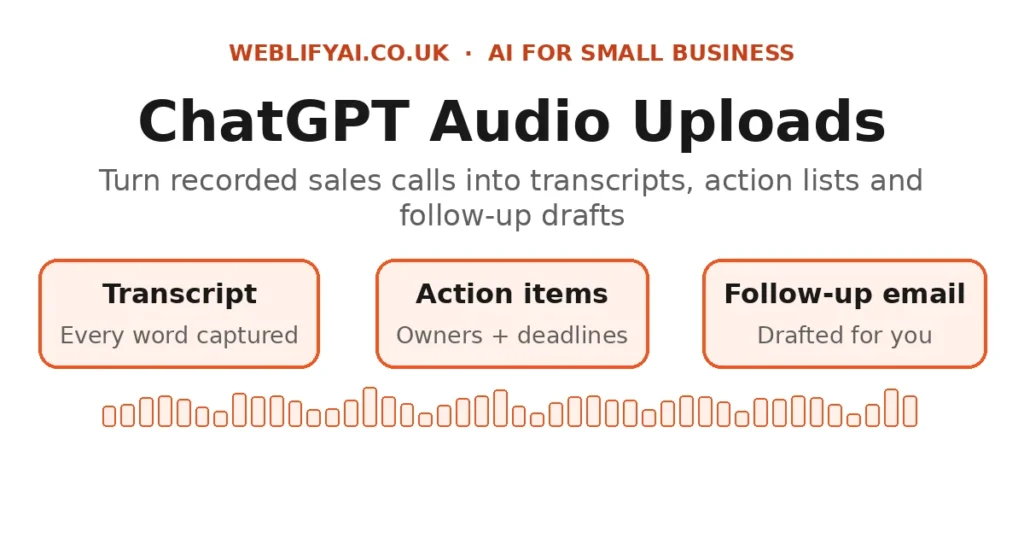
Direct answer: Record your sales call (tell the customer you’re recording, and get their OK), upload the audio file to ChatGPT, and ask it for a transcript, a summary of the customer’s needs, a list of agreed actions, and a draft follow-up email. A job that used to eat 30–45 minutes of write-ups after every call now takes under ten.
Why sales calls are the perfect fit for this
Most small business owners don’t lose sales because they pitch badly. They lose them in the gap between the call and the follow-up: the notes are half-remembered, the customer’s actual words are gone, and the follow-up email sits unwritten until the next day. An audio recording keeps the whole conversation. ChatGPT does the admin you never liked doing.
This isn’t theory — it’s now a mainstream feature. ChatGPT accepts audio file uploads and can work with them directly, turning a recorded conversation into notes, summaries and drafts. For a one-person business or a small sales team, that’s like hiring a note-taker who never zones out.
The 5-step workflow
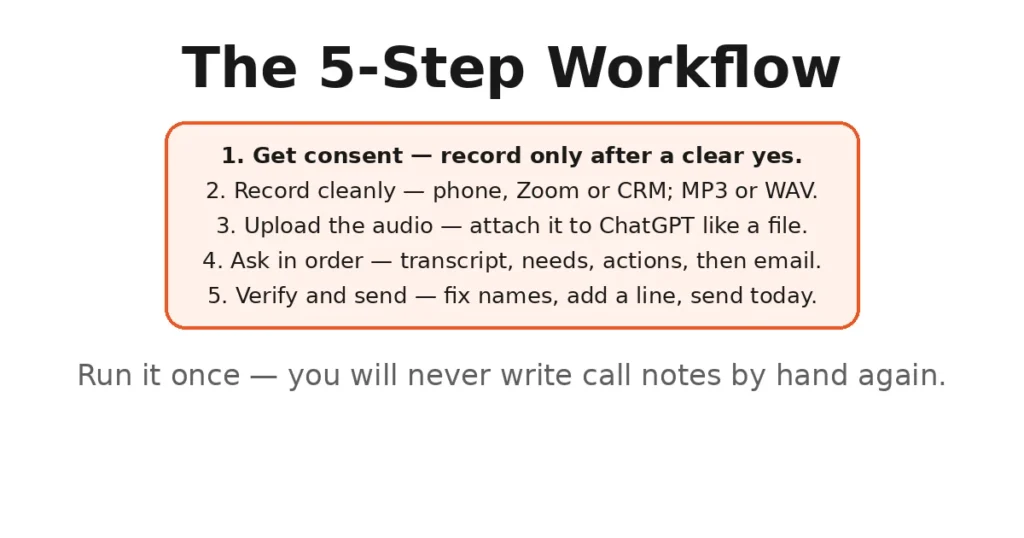
Step 1 — Get consent before you press record
In the UK, you should tell the other person the call is being recorded before it starts. The Information Commissioner’s Office expects callers to be informed, and under UK GDPR you need a lawful basis for holding the recording. The easiest approach is a single sentence at the start of every call:
“I’m going to record this call so I can take accurate notes and follow up properly — is that alright with you?”
If they say no, don’t record. Plenty of CRM and calling tools have a one-tap record button and play the disclosure automatically.
Step 2 — Record in a clean format
Record the call on whatever you already use — your phone, Zoom, Teams, or your CRM’s call recorder. Aim for a quiet environment on your end; muffled audio is the one thing that reliably degrades results. Most tools export MP3 or WAV, both of which ChatGPT accepts.
Step 3 — Upload the audio to ChatGPT
Open ChatGPT and attach the recording the same way you’d attach a document. Once it’s uploaded, don’t ask for everything at once. Work in this order:
- “Transcribe this call.” Check the transcript for garbled names, product names and figures.
- “Summarise what the customer actually needs, in their own words where possible.”
- “List every action item agreed on the call, with who owns it and any deadline mentioned.”
- “Draft a follow-up email to the customer confirming what we agreed, in a friendly professional tone.”
Why this order? The transcript is your source of truth. Everything after it is easier to verify when you can trace it back.
Step 4 — Verify, then personalise
Read the follow-up draft before sending it. Fix names, prices, dates and anything that sounds like guesswork. Add one personal line from the call — the bit of small talk at the start, the customer’s holiday plans — because that’s the difference between an email that reads like you and one that reads like a template.
Step 5 — Save the action list where you’ll actually see it
Paste the action items into your CRM, your task list, or even a WhatsApp message to yourself. The workflow only pays off if the follow-up happens the same day. Most businesses that try this go from “follow-up within 48 hours” to “follow-up within the hour” — and that speed wins deals.
What this costs vs. the alternatives
| Approach | Cost (rough) | Effort per call | Best for |
|---|---|---|---|
| Handwritten notes + manual follow-up | Free | 30–45 minutes | Very low call volume |
| ChatGPT audio upload workflow | Price of a ChatGPT plan | Under 10 minutes | 1–10 calls a week |
| Dedicated AI meeting tool (e.g. Otter, Fireflies) | £10–£25/user/month | Near zero | High call volume, team sharing |
For most small UK firms, the middle row is the sweet spot: you already know ChatGPT, there’s nothing new to install, and the habit forms in a day.
If your calls happen over WhatsApp or your follow-ups live in messaging apps, pair this workflow with WhatsApp automation for your business so the follow-up goes out on the channel the customer actually reads. For turning meeting audio into decisions without the sales angle, see our guide to AI minute-taking.
Honest limits
This workflow is genuinely useful, but it has edges. Know them:
- Transcription isn’t perfect. Heavy accents, crosstalk and bad connections produce errors — always read the transcript before relying on a number or a commitment.
- ChatGPT can misattribute. In a two-person call it usually gets the speakers right, but on a three-way call with similar voices, double-check who said what.
- Don’t upload what you can’t protect. Financial details, health information or anything under NDA deserves a second thought — and a check against your own data-handling policy.
- Consent is on you, not the tool. A recording made without the customer knowing can create legal and trust problems that no amount of AI polish will fix.
- It’s a draft, not a decision. Treat every summary and email as a first draft from a keen junior colleague: fast, helpful, and in need of your eyes before it goes out.
A prompt you can reuse today
Copy this into ChatGPT after uploading your next call recording:
Transcribe this sales call. Then give me: 1) a 5-bullet summary of what the customer needs, using their own words where possible; 2) a list of action items with owners and deadlines; 3) a draft follow-up email confirming what we agreed, friendly and under 150 words. Flag anything you’re unsure you heard correctly.
Run it once and you’ll wonder why you ever wrote call notes by hand. If your follow-up process stalls after the first email, the next upgrade is automating lead follow-up with AI agents so no warm lead ever goes cold.
FAQs
Can ChatGPT transcribe an audio recording of a sales call?
Yes. You can upload a recording in a common format such as MP3 or WAV to ChatGPT and ask it to produce a transcript, a summary and a list of action items. Accuracy is high on clear recordings, but always check names, numbers and prices before you act on them.
Is it legal to record sales calls in the UK?
You can record business calls in the UK, but the other person must be told beforehand — the ICO expects callers to be informed before recording starts, and you need a lawful basis under UK GDPR. A short line like “I’ll be recording this call so I can follow up accurately — is that okay?” covers you.
How long does it take ChatGPT to process a sales call recording?
For a typical 20–30 minute call, the transcription and summary arrive within a couple of minutes. The real time saving is downstream: you skip the 20 minutes of writing up notes and drafting the follow-up email by hand.
What should I ask ChatGPT to do with the call recording?
Start with a transcript, then a summary of the customer’s needs, then an action-item list with owners, then a draft follow-up email. Asking for each output separately gives you cleaner, more usable results than one giant request.
Is it safe to upload client calls to ChatGPT?
Treat the recording like any confidential document. Avoid uploading highly sensitive details if you can, strip out what you don’t need, and check your company’s data policy first. ChatGPT is a tool for drafting, not a secure vault — verify everything before it goes to a client.
Does this work for team meetings too, or just sales calls?
The same workflow works for discovery calls, onboarding calls, supplier chats and team meetings. Any conversation where the outcome is ‘someone must remember what was agreed’ is a good fit.