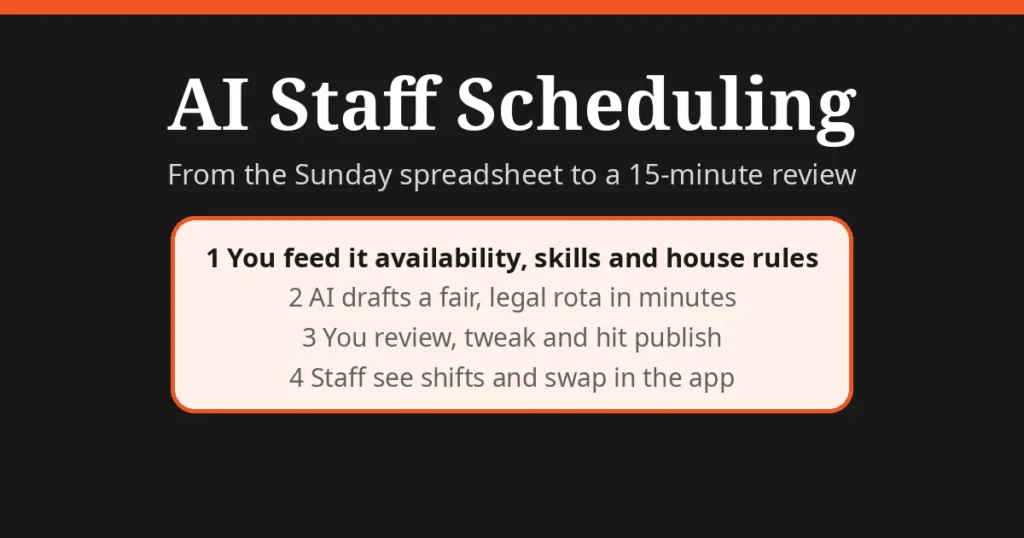
Direct answer: If you still build rotas in a spreadsheet, AI staff scheduling tools — Deputy, Planday, RotaCloud, 7shifts — can generate a fair, legal first draft from your staff’s availability, skills and demand patterns in minutes. You review it, tweak it, and publish it. For a UK small business with 10 to 30 shift workers, expect roughly £2 to £4 per user per month and a few hours of setup. The AI does the puzzle; you keep the final say.
Why rotas eat more time than you think
Writing the rota is the job nobody puts on the payroll. A manager with 20 shift staff can easily lose two to four hours a week to the spreadsheet, the availability messages, and the Friday-evening “can I swap Saturday?” texts — time that was supposed to go into customers, stock or training.
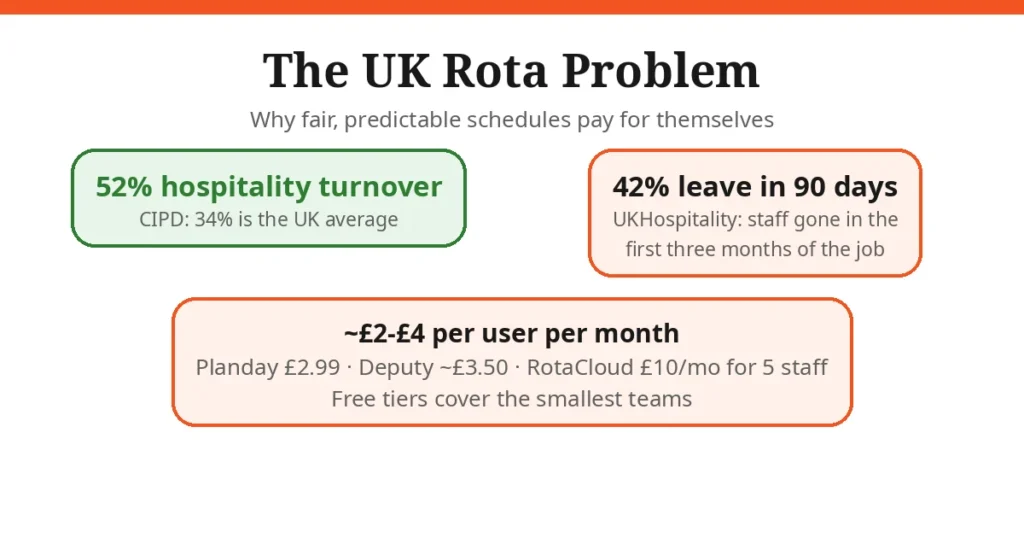
And the stakes are higher than the hours suggest. Hospitality has the highest staff turnover of any UK sector: the CIPD puts it at 52% against a UK average of about 34%, and UKHospitality reports 42% of staff leave within their first 90 days (sources: RBS Mentor 2026 turnover benchmarks, AfterAthena employment challenges 2026). Badly built rotas — unfair weekend splits, published at the last minute — feed exactly that churn. AfterAthena’s guidance to employers lists “make rotas fair and predictable” as core best practice.
What “AI” in staff scheduling actually does
Strip away the marketing and there are five real capabilities:
- Auto-build from rules. You feed in staff availability, contracted hours, skills and roles; the tool generates a full first draft instead of you dragging blocks around.
- Prompt-to-rota. Deputy, for example, lets you type or say what you need — “build this week’s kitchen rota”, “extend all kitchen shifts by one hour tonight” — and drafts the change for review (source: Deputy UK scheduling features).
- Demand forecasting. Rotageek and Deputy predict busy periods from your past sales or footfall data and suggest staffing levels, so you stop overstaffing quiet Tuesdays and understaffing Friday nights.
- Swap and cover marketplaces. Staff request swaps or claim open shifts from their phones; you approve in one tap instead of running a WhatsApp group.
- Compliance flags. The better tools warn you when a rota pushes someone toward Working Time Regulations limits — the 48-hour weekly average, 11-hour daily rest — before you publish.
The tools worth shortlisting
| Tool | Best for | UK price (from) | Standout AI feature | Watch out for |
|---|---|---|---|---|
| Deputy | Mobile-first single sites, cafes, retail | ~£3.50/user/mo (min £20/mo) | Prompt-your-rota: plain-word commands build rotas | No native payroll — export hours to Xero/Sage/BrightPay |
| Planday | Hospitality teams wanting rotas + messaging | £2.99/user/mo | Demand-aware scheduling with staff comms in one app | Built for hospitality/retail; weaker for complex 24/7 care patterns |
| RotaCloud | UK SMEs that want compliance baked in | £10/mo for up to 5 staff + £4.50/mo T&A | UK-focused rules engine, strong leave/availability | Per-module pricing; check what you actually need |
| 7shifts | Restaurants, bars, cafes | Free tier available | Restaurant-specific: tip management, sales forecasting | Advanced features sit on paid tiers |
| Findmyshift | Simple flat pricing | £22/mo flat | Straightforward auto-scheduling without per-user math | Fewer integrations than the big names |
Prices are from 2026 buyer guides (Smart Workforce, Workforce.com care-homes guide) — confirm on the vendor site before you buy, because per-user pricing compounds: 25 staff at £3.50 each is £87.50 a month, which is fine if it saves you three hours a week, and silly if it doesn’t.
What to get ready before you buy
AI scheduling fails when you feed it chaos. Before the free trial, gather four things:
- One month of demand data. Sales by hour, bookings, footfall — whatever you have. New businesses can start with the manager’s gut and refine from week two.
- Staff availability and skills. Who can’t do Tuesdays, who is trained on the espresso machine, who is 17 and has shift-length restrictions.
- Your house rules. Max hours per week, minimum rest between shifts, how fairly weekends are split, how much notice staff get. Write them down — the tool can only enforce rules you actually give it.
- Your payroll export format. Know which package you run and confirm the integration during the trial, with a real test export.
Honest limits
- It can’t invent cover. If nobody is available, no AI can staff the shift. Hospitality’s 52% turnover means the rota tool is a retention aid, not a replacement for hiring.
- Forecasts need history. Brand-new venues, one-off events and promotions break demand models. Expect the first month’s suggestions to be rough.
- Compliance flags are not legal advice. They catch obvious Working Time Regulations breaches; they don’t know your contracts or collective agreements. You remain responsible.
- Data in, rota out. If availability in the app is out of date, the “fair” rota it builds is a fiction. Staff need to actually keep the app updated.
- Free tiers have edges. User caps, missing payroll integrations, no forecasting. Fine for a team of six; limiting at 25.
A simple rollout plan for one site
Week 1 — Import. Add staff, availability, skills and your house rules. Don’t change anything else yet.
Week 2 — Shadow. Run the AI rota in parallel with your usual method. Check every line for a week; you’ll find two or three rules you forgot to enter.
Week 3 — Publish. Push the rota to staff through the app. Turn on swap requests and set a clear policy: swaps are staff-to-staff with manager approval, published rotas change only for genuine emergencies.
Week 4 — Measure. Compare labour cost as a share of revenue against the month before, and note how long the rota took you. Most small operators see the rota shrink from an evening’s work to a 15-minute review.
FAQs
How much does AI staff scheduling cost for a small UK business?
Budget roughly £2 to £4 per user per month. Planday’s starter plan lists at £2.99 per user, Deputy from around £3.50 per user (minimum £20 a month), and RotaCloud at £10 a month for up to 5 staff plus £4.50 for time and attendance, per 2026 buyer guides. 7shifts and Sling both offer free tiers for very small teams. Prices move, so confirm on the vendor site before you commit.
Will AI scheduling work with my payroll software?
Most of the serious tools integrate with the accounting packages UK small businesses already use. Deputy lists integrations with Xero, Sage, QuickBooks and BrightPay, and Planday is now part of the Xero ecosystem. Check your exact package against the tool’s integration list during the free trial, and export a test timesheet before you pay for anything.
Is AI staff scheduling compliant with UK employment law?
The better tools flag Working Time Regulations issues such as staff approaching the 48-hour weekly average or missing daily rest, but those flags are a safety net, not legal advice. You remain responsible for compliance. HR advisers also recommend publishing rotas early and offering predictable hours where possible, which AI rotas make far easier to do consistently.
Can it handle shift swaps and last-minute sickness?
Yes, this is where the apps earn their keep. Staff request swaps or pick up open shifts from their phones, managers approve in one tap, and some tools let you type a prompt like “replace Matt’s Monday and Wednesday shifts” when someone is off sick. Every change is shown to you for review before it goes live.
What’s the difference between rota software and AI scheduling?
Traditional rota software gives you drag-and-drop building blocks; you still do the puzzle yourself. AI scheduling generates a full first draft from staff availability, skills, contracts and demand forecasts, and you edit rather than build. Deputy calls it “prompt your rota”: describe what you need in plain words and it drafts the rota.
Do I need AI scheduling for a team of five?
Probably not yet. Below about eight shift staff, a simple shared spreadsheet or a free tier (7shifts, Sling) is usually enough. The return appears once swaps, availability requests and last-minute cover start eating an hour or more of a manager’s week, every week.
Will AI scheduling reduce my staff turnover?
Fair, predictable schedules are one of the few levers a small operator fully controls, and HR guidance lists them as best practice for retention. The AI alone won’t fix churn: the CIPD puts hospitality turnover at 52% against a 34% UK average, and a fifth of that churn is people leaving the industry entirely. But consistent hours, fair weekend splits and rotas published on time all reduce the friction that pushes good staff out.
Getting the rota right is only half the admin battle — once the hours are clean, AI payroll tools turn them into payslips without the spreadsheet. And if your team loses time in meetings rather than on the rota, AI minute-taking can claw that back. For the phone line, AI call answering takes the calls you’d otherwise miss mid-shift.