AI Email Management for UK Small Businesses: Reclaim Your Inbox in 2026
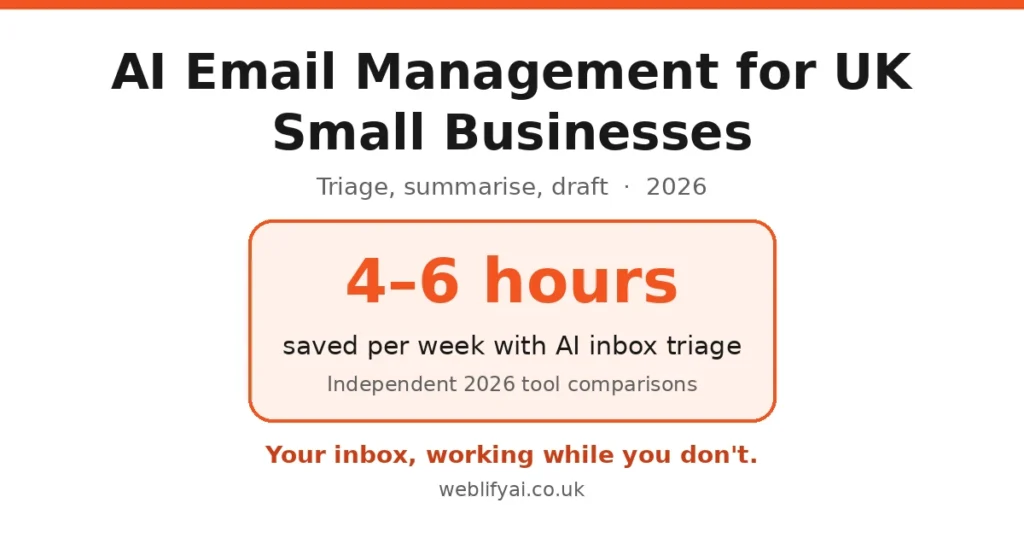
Direct answer: AI email tools sort your inbox by importance, summarise long threads in seconds and draft replies in your tone of voice — you review and send. For a UK small business drowning in quotes, suppliers and customer queries, the right setup saves 20–30% of email time in the first month. Start free with Gmail or Outlook’s built-in AI; add a dedicated tool only if you’re still underwater.
The actual problem
It’s not the important emails that kill your day — it’s the fifty others. Newsletters you never read, CCs you didn’t need, quote requests mixed with spam, threads where the actual question is buried under fourteen replies. The average owner-manager checks email far more often than they’d admit, and every check fragments the deep work that actually earns money.
AI email management attacks this in three ways: triage (sorting what matters from what doesn’t), summarisation (three bullets instead of fourteen replies), and drafting (a reply in your voice, ready to approve).
What the tools do — and what they cost
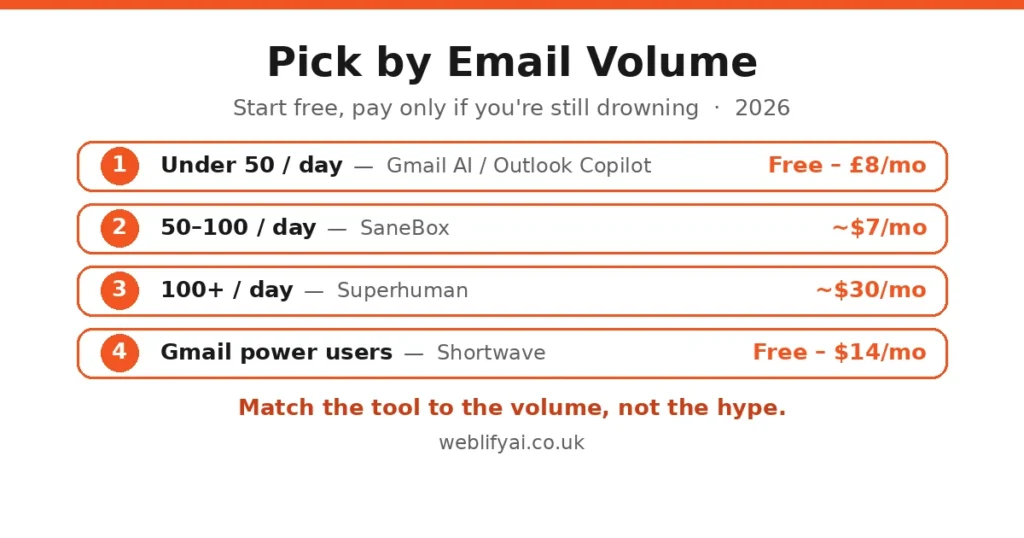
| Tool | What it is | From | Best for |
|---|---|---|---|
| Gmail native AI / Outlook Copilot | AI summaries + drafting inside your existing inbox | Free (Gmail) / from ~£8/mo (Copilot add-on) | Under 50 emails/day |
| SaneBox | Server-side sorting into smart folders (@SaneLater etc.) | ~$7/mo | 50–100 emails/day; works with any email app |
| Shortwave | AI-first Gmail client: bundles, summaries, AI search | Free tier / $7–$14/mo | Gmail users wanting AI organisation |
| Superhuman | Keyboard-fast client with AI triage + drafting | ~$30/mo | 100+ emails/day; founders, consultants |
Two UK-relevant notes: prices are in dollars because most of these tools are US-built — budget roughly £6–£25 a month at current rates. And Shortwave is Gmail-only, which rules it out if your business runs on Outlook or Microsoft 365 — in that world, Copilot or SaneBox are the natural picks.
A 30-day setup that actually works
Week 1 — measure and declutter. Before buying anything, unsubscribe from ten newsletters a day and set up two folders: “needs reply” and “reference”. Most inboxes are 30% noise you opted into years ago. No AI fixes that; only you can.
Week 2 — pick one tool. Match your volume to the table above. If you’re on Gmail under 50 emails a day, just turn on Gmail’s AI features and stop there. SaneBox is the lowest-friction paid step: ten minutes to set up, works inside whatever app you already use.
Week 3 — train it. Move misclassified emails to the right folders; mark senders important or unimportant. The AI learns from corrections — a week of active training beats a month of passive use.
Week 4 — measure. Compare time in inbox before and after (Gmail’s activity dashboard or Outlook’s time stats show this). Expect 20–30% less email time. If the number didn’t move, the tool isn’t the problem — your checking habit is.
The GDPR bit you can’t skip
Granting an AI tool access to your inbox means a third party processes client correspondence — names, addresses, financial details, sometimes health or legal matters. Under UK GDPR:
- Check the vendor’s data-processing terms before connecting a business inbox. SOC 2 certification is a good sign; “we may use data to improve our models” is a red flag for client mail.
- SaneBox only reads headers (sender, subject) rather than message bodies — the most privacy-light option of the bunch.
- Tell clients if AI drafts their replies. You don’t need a legal disclaimer for every email, but your privacy notice should reflect that you use AI email tools.
- Special-category data stays human. If you’re a clinic, solicitor or financial adviser, keep sensitive threads out of AI drafting entirely.
Our GDPR and AI guide goes deeper on lawful basis and vendor checks.
Honest limits / what to watch
- AI drafts are generic at first. They learn your voice over weeks, not hours. Expect to rewrite heavily in week one — that’s normal, not failure.
- It can’t tell a hot lead from spam by itself. Train the triage with your actual senders or important mail lands in @SaneLater.
- Auto-send is a trap. One wrongly-sent “yes, we can do that for £500” to the wrong thread undoes a month of time savings. Draft, review, send.
- No follow-up memory. Most tools draft and disappear — they won’t chase the quote you never answered. Pair with a simple follow-up reminder system.
- Subscription creep is real. Start free, prove the saving, then pay. A £25/month tool you half-use is worse than Gmail’s free AI you actually use.
FAQs
What is AI email management?
Software that uses AI to sort your inbox by importance, summarise long threads, draft replies in your tone of voice and remind you to follow up. Tools range from free Gmail AI features to dedicated apps like SaneBox ($7/month) and Superhuman ($30/month).
Which AI email tool is best for a small business?
It depends on volume. Under 50 emails a day: Gmail’s built-in AI or Outlook Copilot is enough. 50–100 a day: SaneBox at $7/month sorts the noise without changing your app. Over 100 a day: Superhuman’s speed and AI drafting can save 4–6 hours a week. Shortwave offers a generous free tier for Gmail users.
Can AI answer my business emails automatically?
It can draft replies, but fully automatic sending is risky for customer-facing email. The safe pattern is AI-drafted, human-approved: the tool prepares replies overnight or in batches, you review and send. Auto-send only for the most routine confirmations.
Is it safe to let AI tools read my business email?
Reputable tools (SaneBox, Superhuman, Shortwave) are SOC 2 certified and state they don’t train public models on your mail — but you are still granting a third party access to client correspondence. Under UK GDPR you need a lawful basis and should check each vendor’s data-processing terms, especially for sensitive client data.
Does AI email management work with Outlook?
Yes. SaneBox works at server level with any client including Outlook and Apple Mail. Microsoft 365 Copilot adds AI drafting directly inside Outlook. Superhuman supports Outlook too; Shortwave is Gmail-only.
How much time can AI email management actually save?
Independent comparisons put Superhuman users at 4–6 hours saved per week and Shortwave at 4–5.5 hours for heavy inboxes. Realistic first-month savings for a typical small business are 20–30% of email time — the gains grow as the AI learns your patterns.
Email is one front in the admin war — AI agents for small business covers the bigger automation picture, and if meetings eat your afternoons too, our AI minute-taking guide pairs well with an organised inbox.
Sources: Superhuman vs Shortwave vs SaneBox 2026 comparison, AI email triage tools compared 2026.