

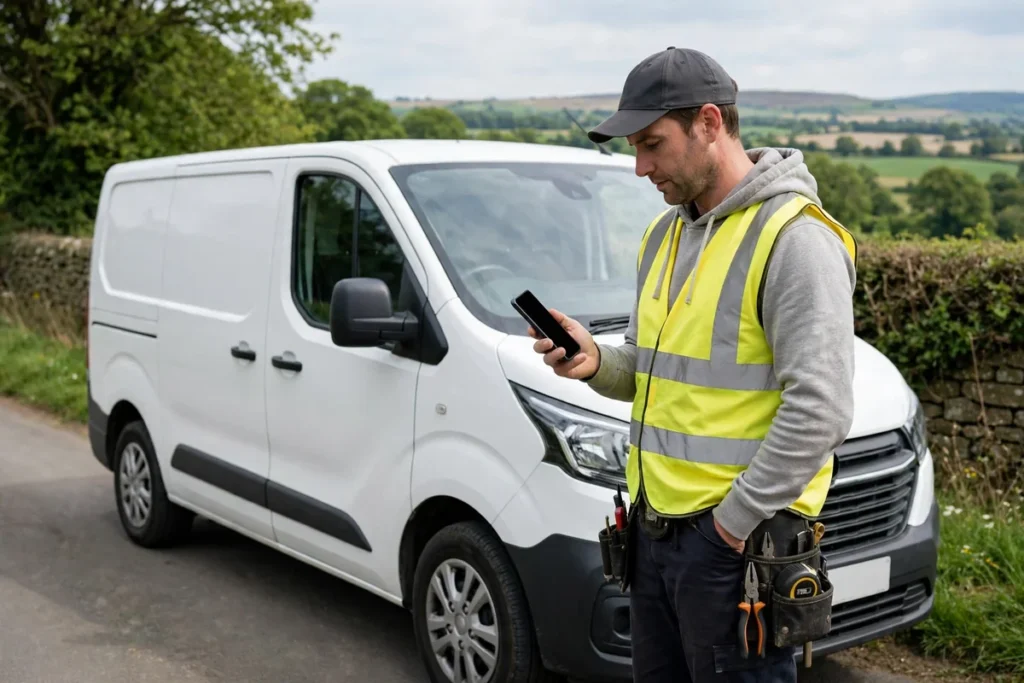
Direct answer: AI mileage tracking for UK sole traders means letting your phone or a small GPS tool record your business journeys automatically, then reviewing and classifying them — business, private, or commute — so you end up with a clean log you can use for your mileage claim and your Self Assessment records. It does not change the HMRC rates, and it does not decide for you what counts as business travel. What it does is remove the weakest link in most mileage claims: memory.
If you drive for work — to clients, to suppliers, to site visits, to the post office for a business parcel — you probably know the end-of-year feeling. You sit down in January, stare at a blank spreadsheet, and try to reconstruct twelve months of driving. You guess. You round up. You miss trips you genuinely made, and you include a few you are less sure about. Neither helps. The first costs you money. The second creates a record you cannot defend if HMRC ever asks.
This guide walks through how AI-assisted mileage tracking actually works in practice for a sole trader, what to set up, how to classify trips honestly, how to turn the log into something your accountant can use, and where the tools fall short. Everything here is practical. The only HMRC figures used are the published Approved Mileage Allowance Payment rates, and every worked example is labelled illustrative — made-up numbers to show the method, not a claim about what anyone actually earns or drives.
Why mileage records go wrong for sole traders
Most sole traders do not set out to keep bad records. The problem is friction. A paper notebook lives in the glovebox, gets rained on, and runs out of pages. A spreadsheet on the laptop only gets updated when you remember, which is usually when you are already busy with something else. A notes app entry written at a red light is better than nothing, but it rarely includes the return journey, the exact distance, or the reason for the trip three weeks later when you read it back.
The result is predictable. Some journeys never get logged at all — the quick trip to pick up materials, the detour to drop off paperwork, the second visit to the same client in one week. Other journeys get logged twice, or with a distance copied from a sat-nav estimate rather than the road actually driven. And the classification gets blurry. Was that trip to the trade counter business, or did you also pick up something for the house on the way? Did you drive from home straight to a client, or did you stop at your usual co-working space first? These are small questions, and they matter, because a mileage claim is only as good as the log behind it.
AI mileage tracking attacks the friction, not the rules. The GPS records the journey as it happens. You classify it later. That split — automatic capture, human classification — is the whole point. If a tool promises to do the thinking for you, be wary. You are still the person responsible for the claim.
How AI mileage tracking actually works
Strip away the marketing, and most tools work in a similar way:
- Detection. The app on your phone notices when you start driving. Some use the phone’s motion sensors and GPS; others pair with a small plug-in device in the car. Either way, a trip appears in a list without you pressing anything.
- Recording. For each trip, the tool stores the date, start time, end time, start point, end point, route, and distance. Some also estimate duration and flag repeated routes, such as the same client visit every Tuesday.
- Classification. You swipe or tap to mark each trip as business, private, or commute, and add a short purpose — “client meeting, Leeds”, “supplier pickup”, “site visit”. Some tools learn from your past choices and suggest a classification for a familiar route. The suggestion is a shortcut, not a decision. Check it.
- Export. When you need it — monthly, quarterly, or at year end — you export the classified log as a CSV or PDF. Your accountant gets dates, distances, purposes, and totals, rather than a shoebox of notes.
That is the workflow in full. There is no magic in step two, and step three is where your judgement lives. A tool that auto-classifies everything as business because you drive a lot for work is not helping you; it is creating a liability.
For a broader view of how this kind of automation fits alongside your other money admin, see the guide to AI expense tracking for small businesses in the UK. Mileage is one slice of expenses, and it works best when it sits next to your receipts and invoices rather than in a separate silo.
What counts as business mileage — and what usually does not
Before you switch anything on, get clear on the categories you will use. Three labels cover almost everything, and keeping them separate is what makes the log defensible:
- Business: travel for your trade that is not ordinary commuting. Examples: visiting a client at their premises, travelling to a temporary workplace, collecting materials from a supplier, attending a business meeting or training course.
- Private: personal journeys. Shopping, school runs, visiting family, days out. These are never claimed, even if you happen to think about work on the way.
- Commute: travel between home and a regular place of work. For many sole traders this is a grey area, because home often is the place of work. If you work from home and drive to a client, that is usually a business journey. If you rent a workshop or office you go to every day and then drive to a client from there, the home-to-workshop leg is generally commuting, and the workshop-to-client leg is business. Your circumstances decide the line, and your accountant is the right person to confirm it for your setup.
Mixed trips deserve a note, not a guess. If you drive to a supplier and pick up a personal item on the way home, the business purpose still stands, but write it down plainly: “Supplier pickup, plus personal stop on return.” If a journey is genuinely half business and half private — a long drive where you visit a client in the morning and family in the afternoon — record the business portion honestly and do not claim the whole round trip. HMRC is far more interested in a consistent, honest method than in a perfect log. A method you can explain beats a total you cannot.

Setting up AI mileage tracking without overcomplicating it
You do not need a fleet system. For a sole trader, a phone app plus a weekly review habit is usually enough. Here is a setup that works in real life:
Choose one tool and stick with it. Switching apps mid-year means stitching two exports together in January, which is exactly the faff you are trying to avoid. Pick a tool that exports CSV and PDF, lets you add a purpose note to each trip, and works on the phone you already carry. Examples you will see in search results include PocketReceipt, KeptMiles, FreeAgent, and QuickBooks Sole Trader — check current pricing and features before committing, because plans change, and a tool that fits a limited company with staff may be overkill for a sole trader.
Turn on the right permissions, and only those. GPS tracking needs location access while driving. It does not need access to your contacts, photos, or messages to log a journey. If an app asks for more than it needs, ask why before agreeing.
Set your vehicle and your working pattern. Most tools let you set a default vehicle and your usual working hours. That helps the app suggest classifications, but do not let a default do your thinking. If you sometimes use a partner’s car or a hire car for business, log that separately and tell your accountant — the claim may work differently.
Decide your review day. Friday afternoon, Sunday evening, Monday morning — pick one and protect ten minutes for it. Open the week’s trips, classify anything unclassified, add purposes where they are missing, and delete duplicates. This is the habit that makes the whole system work. An unreviewed automatic log is just a longer version of the same mess, with nicer formatting.
Keep a backup outside the app. Export monthly, even if you do not need the file yet. Save the CSV and PDF in a folder with the tax year in the name — for example, “2026-27 mileage”. If you change phones, lose the app, or the provider changes its terms, your records survive. This also helps with the retention rule: self-employed records are generally kept for at least 5 years after the 31 January Self Assessment deadline, so a monthly export habit means you are not scrambling to recover five-year-old data from an old device.
The HMRC mileage rates, plainly stated
The rates below are the HMRC Approved Mileage Allowance Payment rates as described in HMRC guidance and summarised by mileage guides such as KeptMiles. They are the only rates quoted in this guide. If HMRC changes them, the current HMRC pages are the source to check.
| Vehicle type | First 10,000 business miles | Over 10,000 business miles |
|---|---|---|
| Car or van | 45p per mile | 25p per mile |
| Motorcycle | 24p per mile | 24p per mile |
| Bicycle | 20p per mile | 20p per mile |
For most sole traders using a car, the 45p / 25p split is the one that matters. Note that the 10,000-mile threshold is per tax year, not per job or per client. Keep a running total through the year so you know when you cross it — a good tracking tool will show this, but a simple spreadsheet column does the same job.
An important choice sits underneath the rates: mileage allowance versus actual vehicle costs. As a sole trader, you generally claim either the mileage allowance or a proportion of actual running costs (fuel, insurance, repairs, and so on), not both for the same vehicle. Which is better depends on your car, your mileage, and your costs. Do not let a tracking app decide this for you. Run both numbers past your accountant in your first year, then stick with the method that fits. Switching methods without advice can create complications, so treat this as a decision to make once, properly, rather than a setting to toggle.
A worked example, clearly labelled illustrative
The numbers below are invented to show the arithmetic. They are not a real sole trader’s records and not a promise of what you can claim.
Imagine a sole trader — let’s call her a freelance garden designer in Yorkshire — who logs the following business miles in a tax year:
| Month (illustrative) | Business miles logged | Purpose examples |
|---|---|---|
| April to June | 2,400 | Client site visits, nursery supplier runs |
| July to September | 2,100 | Site visits, a training day, supplier pickups |
| October to December | 1,800 | Client visits, end-of-season clearances |
| January to March | 1,700 | Consultations, supplier runs |
| Total (illustrative) | 8,000 | — |
At 45p per mile, 8,000 miles gives an illustrative mileage amount of £3,600 (8,000 × £0.45). Because the total stays under 10,000 miles, the 25p rate never applies in this example. If the same trader had driven 12,000 business miles instead, the illustrative calculation would be: first 10,000 miles at 45p = £4,500, plus 2,000 miles at 25p = £500, for a total of £5,000.
The point of the example is not the total. It is the method: every mile in that total has a date, a route, and a purpose behind it. Without the log, the £3,600 or £5,000 figure is just a number. With the log, it is a claim you can show your accountant and, if needed, explain to HMRC.
Notice also what the example leaves out: fuel receipts. Under the mileage allowance method, you do not normally also claim fuel separately for the same miles — the allowance is meant to cover running costs. That is another reason to settle the mileage-versus-actual-costs question early, before you build a year’s worth of records on the wrong basis.
Your weekly and monthly mileage routine
A system only works if you use it when you are busy, not just when you are organised. Here is a routine that survives real weeks:
Daily: do nothing. Let the GPS record. If you remember, add the purpose at the end of the day while it is fresh — a two-word note is enough. If you forget, the weekly review catches it.
Weekly (10 minutes): Open the unclassified trips. Classify each one. Add purposes. Merge duplicates where the tool split one journey into two. Flag anything odd — a trip you do not recognise, a distance that looks wrong, a route that took a diversion you did not make. Fix or delete it now, with a note, rather than leaving a puzzle for January.
Monthly (20 minutes): Export the month’s log. Check the running total against the 10,000-mile threshold. Reconcile against your diary or calendar: does every client visit in your diary have a matching journey, and does every business journey have a diary entry or invoice behind it? This cross-check is powerful. A journey with no corresponding work record is worth a second look. A client visit with no journey might mean a missed trip — or it might mean you took the train that day, in which case the train fare, not mileage, is the expense.
Quarterly: This is where Making Tax Digital readiness comes in. If you are in scope for MTD for Income Tax, or preparing to be, quarterly updates mean your records need to be current through the year, not assembled at year end. A monthly export habit makes quarterly updates straightforward: your mileage totals are already classified and totalled, rather than estimated. For a fuller picture of quarterly readiness, the guide to AI VAT returns for small businesses in the UK covers the same discipline — regular, categorised records instead of a year-end scramble — applied to VAT.
Year end: Send your accountant the full-year export, plus a one-page summary: total business miles, split before and after 10,000 miles if relevant, the method you used (mileage allowance or actual costs), and any notes on unusual trips. Your accountant will thank you, and your bill may reflect the time saved.
Common mistakes that undermine a mileage claim
These come up again and again, and none of them requires bad intent — just a busy week and a vague log:
- Claiming the commute. The daily drive to a regular workplace, or a round trip you would make anyway, slipped into the business column. Keep commute separate, even when it feels like work travel.
- Rounding every trip up. Ten miles becomes twelve, again and again. GPS distances are not perfect, but consistent small roundings add up and look odd under scrutiny. Use the recorded distance, and note diversions honestly.
- Claiming mileage and fuel for the same miles. As above, the allowance method and actual-costs method are alternatives, not add-ons. Pick one per vehicle and stay consistent.
- No purpose, just a postcode. A log that says “Leeds, 34 miles” tells nobody why you went. A log that says “Client consultation, Leeds, 34 miles” tells the whole story. Purpose is the cheapest insurance you can buy.
- Private miles in the business total. A weekend trip that happens to pass a supplier, or a family visit with a work call on the way, claimed in full. Split it or leave it out.
- Two logs, neither complete. An app for some months, a notebook for others, a spreadsheet for the rest. One system, used consistently, beats three systems used sporadically.
- No backup. Five years of records in one app, on one phone, with no export. Phones get lost. Apps close. Export monthly.
- Forgetting the return journey. Outbound logged, return forgotten, because you classified trips on the way out and never checked the way back. The weekly review catches this if you look at the whole week, not just today’s trips.
Tools: what to look for, and what to ignore
You do not need the most expensive tool, and you do not need one that claims to be “HMRC approved” in a way HMRC itself does not endorse. Look for these practical features:
- Automatic trip detection that you can pause for holidays or private-only periods.
- Easy classification with a purpose field, not just a business/private toggle.
- Repeated-route suggestions that you can accept or override.
- CSV and PDF export, with date ranges you choose.
- A running total for the tax year, so the 10,000-mile threshold is visible.
- Data export or deletion that you control, in case you switch tools.
Ignore, or treat with scepticism: claims that the tool “maximises your claim” (your claim is what you actually drove for business, no more), tools that auto-classify everything as business by default, and any tool that asks you to claim mileage it has not recorded. The best tool is the one you will actually review every week. A simple app you use beats a powerful one you ignore.
Also think about battery and privacy. GPS logging uses battery, and some apps are heavier than others. Test one for a week before committing to a year. And check what data the provider keeps and where: your travel history is personal data, and a sole trader’s client locations can be commercially sensitive. A tool with clear data controls is worth more than a flashy dashboard.
Mileage alongside your other business records
Mileage does not live alone. The same journey often connects to other records: a fuel receipt if you claim actual costs, a parking receipt, a toll, a client invoice for the visit, a diary entry, a photo of a delivery. AI tools help here too, in a supporting role. Photo receipt capture — snapping a parking ticket or a supplier receipt on your phone and letting the tool read the date and amount — pairs naturally with a mileage log. The journey explains why you were there; the receipt proves what you spent while you were there.
This is where a joined-up approach pays off. If you already use AI help for cash flow or expenses, keep the same discipline: capture at the time, classify weekly, export monthly. The guide to AI cash flow forecasting for small businesses in the UK shows how regular, categorised records feed into forecasting — and mileage totals are one of the steadier inputs, because they reflect real work done rather than invoices hoped for.
One practical tip: keep a single “vehicle” folder, digital or physical, for the tax year. Mileage exports, insurance documents, MOT and service records, and any fuel receipts if you claim actual costs, all in one place. When your accountant asks for vehicle information, you hand over one folder, not five searches.
Honest limits: what AI mileage tracking cannot do
This section matters, because the sales pages will not say it.
First, GPS is not perfect. It can miss the start of a short trip, split a journey with a stop into two trips, or record a slightly different route from the one you drove. In rural areas, tunnels, and multi-storey car parks, accuracy drops. Your weekly review exists to catch these errors. A log you never check is not more accurate than a notebook you never write in — it is just more confident-looking.
Second, AI cannot decide business purpose. It can guess that a Tuesday trip to the same postcode is the same client, but it cannot know that this Tuesday you went for a personal reason, or that the client moved premises, or that the meeting was cancelled and you turned around halfway. Only you know. If a tool’s suggestion is wrong and you accept it without checking, the error is yours, not the software’s.
Third, mileage tracking does not settle your tax position. It does not tell you whether to use the mileage allowance or actual costs, whether a particular journey is deductible, or how your mileage interacts with capital allowances, VAT, or a vehicle you also use privately. Those are accountant questions, and the answers depend on your full circumstances. A tool that gives you a tax answer without knowing your circumstances is guessing.
Fourth, automation can create a false sense of completeness. Because the app recorded fifty trips, it feels like all trips are recorded. It may have missed the one where your phone battery died, the trip in a hire car without the app, or the journey where you left your phone at home. The monthly diary cross-check is your safety net for exactly this.
Finally, data protection is your responsibility too. If you track journeys to clients’ homes, that location data is sensitive. Keep it in a tool you trust, export it to storage you control, and do not share full logs more widely than you need to — your accountant needs the totals and the classified log, not a live feed of your movements.
None of this makes AI mileage tracking a bad idea. It makes it a tool, not a replacement for judgement. Used that way — automatic capture, honest classification, regular export, accountant review — it is one of the simplest upgrades a driving sole trader can make.
A simple checklist to start this week
- Pick one mileage tool, check its export options and current pricing, and install it.
- Set your vehicle, working hours, and default categories (business, private, commute).
- Confirm with your accountant whether you claim mileage allowance or actual costs for this vehicle.
- Drive normally for a week, then do your first weekly review: classify every trip, add purposes, fix duplicates.
- Export the week’s log and save it in a tax-year folder.
- Set a recurring weekly reminder for the review, and a monthly reminder for the export.
- After a month, check the running total and compare journeys against your diary.
- At year end, send the full export plus a one-page summary to your accountant, and keep copies for at least 5 years after the 31 January Self Assessment deadline.
Start small. One week of clean, reviewed trips teaches you more about your driving pattern than a year of unreviewed automatic logs. And if you find that most of your business miles cluster around a few regular routes, your classification job gets easier every week, because the tool’s suggestions get better and your purposes become copy-and-paste.
Mileage is unglamorous admin. That is precisely why it is worth automating the capture and protecting the judgement. The money is real — in the illustrative example above, 8,000 business miles at 45p is £3,600 — but only the miles you can evidence, with dates, distances, and purposes, are money you can defend. AI tracking gives you the evidence without the nightly paperwork. The rest is a ten-minute weekly habit.
FAQs
What is AI mileage tracking for sole traders?
It is a way of logging business journeys automatically, usually with GPS on your phone, so each trip is recorded with its date, distance, start and end points, and purpose, instead of you writing it down from memory at the end of the week.
What mileage rate can UK sole traders claim?
Under HMRC’s Approved Mileage Allowance Payment rates, the rate is 45p per mile for the first 10,000 business miles in a tax year and 25p per mile after that. Check HMRC guidance for your own circumstances before claiming.
Does commuting from home to a regular workplace count as business mileage?
Generally no. Ordinary commuting to a regular place of work is not usually a business journey for mileage purposes. Travel to a temporary workplace, a client site, or a supplier can be different — keep the purpose of each trip clear in your log.
How long should I keep mileage records?
Self-employed records are generally kept for at least 5 years after the 31 January Self Assessment filing deadline for the relevant tax year. Keep your mileage log with your other business records for that period.
Can AI mileage tracking replace my accountant?
No. It can collect and organise the journeys, but your accountant should still review the claim, especially if you also claim actual vehicle costs, use a van, or have mixed business and private use.
What if I forget to log a trip?
Most GPS tools keep a history you can review and classify later, but the sooner you check it the better. A weekly review habit — ten minutes on a Friday, for example — catches gaps while you still remember where you went.