Direct answer: AI minute taking records your meetings and automatically produces a transcript, a summary and an action list — no more typing notes while trying to listen. Free plans from Otter.ai, Fireflies.ai and Fathom cover a light meeting load; paid plans run roughly £7–£20 per user per month on annual billing. Set it up in an afternoon: connect your calendar, pick which meetings to record, and always tell attendees the meeting is being recorded (UK GDPR applies to recordings). Skim every AI summary before acting on it. Full guide below.
If you've ever left a client call and thought "wait, what did we actually agree?", you're the person this is for. For a small business owner, meetings are where money is made and lost — quotes agreed, deadlines set, requirements misunderstood. Yet the notes capturing all of it are usually scribbled half-sentences, if they exist at all.
UK interest in "AI note taker" jumped sharply in late September 2026 and stayed elevated into October, with breakout searches for devices and apps like Plaud, Bluedot and Scribbl. Small businesses are discovering what larger firms learned a year ago: the meeting is the work, and the minutes should write themselves.
What AI Minute Taking Actually Does
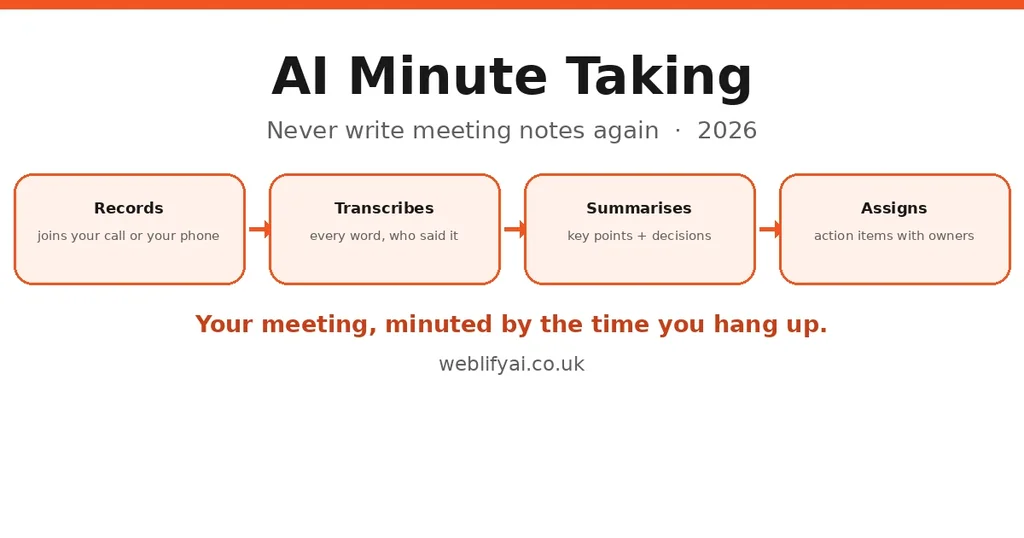
Strip away the marketing and an AI minute taker does four things:
- Captures the audio — by joining your video call as a participant, recording through a browser extension, or via a phone/desktop app for in-person meetings.
- Transcribes it — speech-to-text with speaker labels ("Sarah: …", "You: …").
- Summarises it — a structured recap: key points, decisions, action items with owners.
- Delivers and files it — emailed to you, searchable in a dashboard, and optionally pushed into your CRM or task manager.
The magic isn't the transcript (reading a 45-minute transcript is nobody's idea of fun). It's the summary and the action list — the two things humans are worst at producing consistently.
How to Set It Up (One Afternoon)
1. Pick your capture method. Most tools join Zoom, Google Meet or Teams calls automatically once connected to your Google or Microsoft calendar — a bot participant appears in the meeting. If a visible bot feels wrong for client calls, use the Chrome extension (captures from your browser, no extra participant) or the desktop/mobile app.
2. Choose which meetings get recorded. Start narrow: client calls and supplier calls. Internal stand-ups can wait. Most tools let you set auto-join rules — every meeting, only ones you host, or only when you invite the bot.
3. Tell people. This is the step that matters legally. Put a line in the calendar invite ("This meeting will be recorded for minutes — let me know if you'd rather it wasn't") and say it out loud at the start. UK GDPR treats recordings as personal data: you need a lawful basis, transparency, and a retention policy. Our GDPR and AI guide for UK small businesses walks through the full checklist.
4. Build the review habit. For the first month, skim every AI summary before forwarding anything. You'll learn where your tool is reliable and where it invents — and it will invent, occasionally, especially with names and numbers.
The Main Tools Compared (October 2026 Pricing)
Prices below come from the vendors' own pricing pages, checked October 2026. Annual billing is 30–50% cheaper than monthly across the board — always compare like with like.
| Tool | Free plan | Entry paid (annual) | Team/Business tier | The catch |
|---|---|---|---|---|
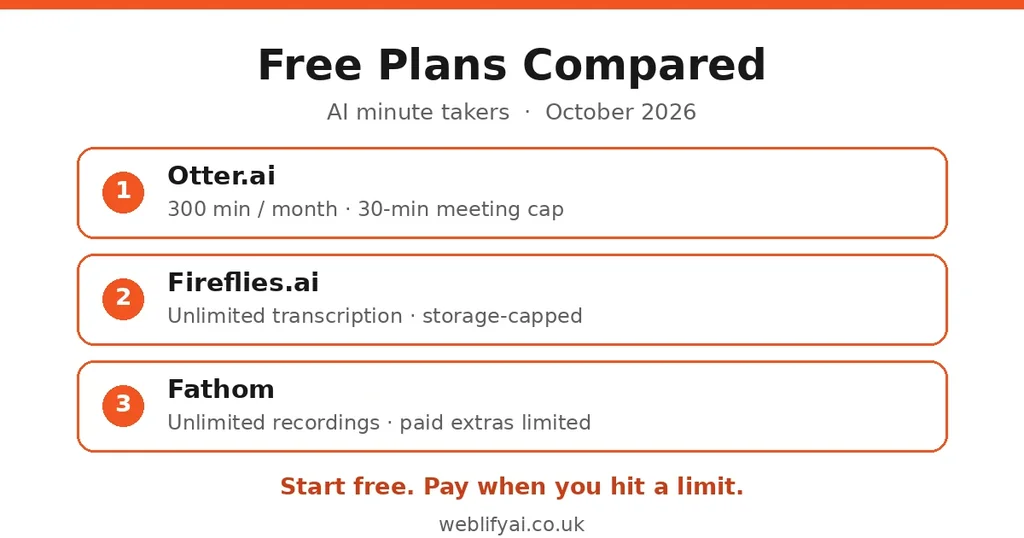
| Otter.ai | 300 min/month, 30-min cap per meeting, 3 lifetime file imports | Pro: ~$8.33/user/month, 1,200 min/month | Business: ~$19.99/user/month, unlimited meetings | The 30-minute free cap cuts off most real meetings |
| Fireflies.ai | Unlimited transcription, 400 min storage per team, limited AI summaries | Pro: $10/seat/month, 8,000 min storage per seat | Business: $19/seat/month, unlimited storage | AI features run on credits — heavy users budget extra |
| Fathom | Unlimited recordings | Premium: $16/month (single user) | Team: $15/user/month, 2-user minimum | Team tier costs more per seat than rivals |
In plain terms: Otter is the most mature transcription-first tool — least fiddly, best for straightforward "record and summarise". Fireflies is the workflow tool — strongest at pushing summaries and action items into CRMs like HubSpot and Salesforce, and its free plan's unlimited transcription is genuinely generous. Fathom suits owners who mostly need recordings and summaries and may never pay at all.
Also worth knowing: dedicated recording devices like the Plaud Note are driving the current breakout interest — a small device that records in-person meetings and syncs AI minutes to your phone. Handy for site visits and face-to-face client meetings where a laptop lid stays shut.
Where AI Minutes Earn Their Keep
The use cases that pay for themselves fastest in a small business:
- Client calls — agreed scope, quoted prices, deadlines. Disputes over "you said £2,000" end when the transcript exists.
- Supplier and contractor calls — delivery dates and commitments, searchable months later.
- Internal handoffs — when work passes between you and a colleague or freelancer, the action list is the handover.
- Sales follow-up — objection handling and next steps captured while they're fresh, pushed into your CRM.
This is AI agents doing your admin in its most practical form: not a robot employee, just the boring capture work done perfectly every time.
Honest Limits
- Accents, crosstalk and noise. Transcription is 85–92% accurate on clean audio; a building site, a café, or three people talking at once degrades it fast. Review before quoting.
- It can't read the room. Sarcasm, tentative agreement, the thing said in the corridor after — none of it is in the minutes. Don't let the summary replace your judgment of what actually happened.
- Formal minutes still need a human. For board meetings or anything with legal weight, treat AI output as a first draft. The named decisions need a person to confirm them.
- Your clients may push back. Some people clam up when recorded. Offer an opt-out, or take that meeting unrecorded — the tool should serve the relationship, not the other way round.
- Data goes to the vendor's cloud. If you discuss commercially sensitive or client-confidential matters, check where recordings are stored and for how long. EU/UK data residency matters here; see our GDPR and AI guide.
The Bottom Line
AI minute taking is one of the rare AI tools with no learning curve and a same-day payoff: connect your calendar this afternoon, and tomorrow's client call comes with its own notes. Start on a free plan, test it on your own voice and your own meeting style, and only pay when you hit a limit. And if you're still automating the rest of your admin, this slots neatly into the same routine.
FAQs
What is AI minute taking?
AI minute taking is software that listens to your meetings and automatically produces a transcript, a summary and a list of action items. Tools like Otter.ai, Fireflies.ai and Fathom join your video calls as a participant (or record from an app), then deliver structured minutes to your inbox minutes after the call ends.
Can AI take minutes of a meeting accurately?
On clear audio with distinct speakers, modern tools are accurate enough for business notes — typically 85-92% word accuracy in real-world meetings. Accuracy drops with overlapping speech, heavy accents and background noise. Always skim the AI summary before acting on it, especially for anything contractual.
Is it legal to record meetings with AI in the UK?
Yes, but recordings count as personal data under UK GDPR, so you need a lawful basis, you must tell attendees the meeting is being recorded, and you should delete recordings once you no longer need them. Announce it in the calendar invite and at the start of the call. Our GDPR and AI guide covers the full checklist.
What is the best free AI minute taker?
For a solo owner with light meeting load: Otter.ai's free plan gives 300 transcription minutes a month (capped at 30 minutes per meeting). Fireflies.ai's free plan offers unlimited transcription with capped storage (400 minutes per team). Fathom's free plan has unlimited recordings. Test all three on your own calls before paying.
How much does AI meeting transcription cost?
Entry paid plans run about $8-10 per user per month on annual billing (Otter Pro $8.33, Fireflies Pro $10, Fathom Premium $16 single-user). Team and business tiers are roughly $19-25 per user per month. Annual billing is typically 30-50% cheaper than monthly.
Do AI note takers work for in-person meetings?
Yes, with limits. Most tools have mobile apps that record in-room audio, and dedicated devices like the Plaud Note record in person. But phone microphones struggle in noisy rooms with several people talking over each other — video-call recordings with individual audio streams are consistently more accurate.
Can AI minute taking replace a human secretary for formal minutes?
For informal team and client meetings, yes — with a quick human review. For formal board or shareholder minutes with legal weight, AI drafts are a starting point, not the final record: the named actions and agreed decisions still need a person to confirm them.